What Your AI Chatbot's Conversation Transcripts Reveal About Your Business
Updated November 12, 2026 · 8 min read
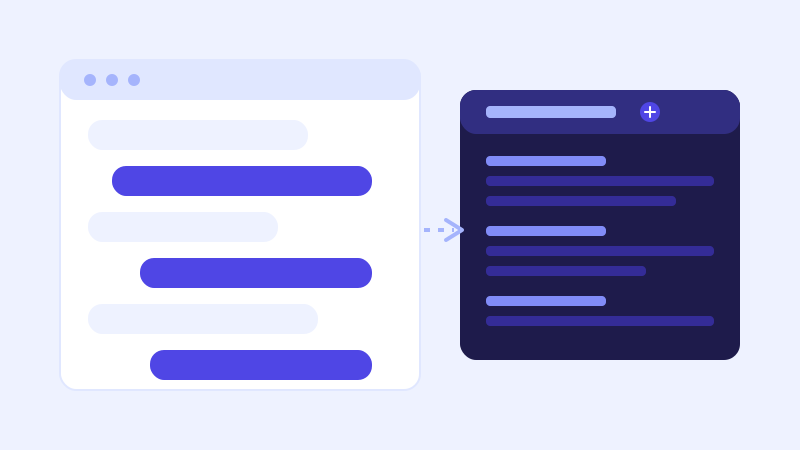
Most businesses that install a chatbot check one report regularly: the unanswered-questions log. It's the right habit, and most of the guides on this subject (including a few of ours) point you toward it first. But it only shows you the conversations the bot openly struggled with. The ones it answered, correctly or not, rarely get a second look, and that's where a different kind of signal is sitting unread.
The unanswered list only catches the obvious misses
An unanswered-questions log exists to flag a specific failure: a visitor asked something, and the bot's stored knowledge, even after a live-fallback re-check, couldn't confidently resolve it. That's genuinely useful, it's a punch list of content to add or fix. But a chatbot can also answer a question correctly and completely according to its own confidence scoring, while still giving a thin, generic, or slightly-off-target answer that technically satisfies the match without actually landing the way a sharper page would. None of that shows up as "unanswered," because nothing failed in the way the log is built to detect.
What shows up when you read the full back-and-forth
Open twenty or thirty real transcripts, not just the flagged ones, and a few patterns tend to repeat fast. The same objection shows up worded five different ways, "is there a contract," "can I cancel anytime," "what happens if I need to pause", which usually means your pricing or terms page answers the fact but not the underlying worry behind it. You'll also notice how customers actually phrase things, which is often not how your own marketing copy phrases it, a gap that matters because a crawl-based chatbot answers from your site's language, not a translated version of what visitors are really asking. And you'll see timing patterns: a cluster of the same question right after a price change, a product launch, or a seasonal promotion, which tells you exactly which page needs attention first.
Finding content gaps the unanswered list can't see
A weak answer and a missing answer look identical in aggregate stats, both can show a healthy resolution rate, since resolution rate only measures whether a visitor left without escalating to a human, not whether the answer was actually good. Reading actual transcripts is the only way to catch the difference. If the same question keeps recurring even though the bot technically answers it every time, that's a signal the page behind that answer needs to go deeper, not that anything is broken. Treat a repeated question with a seemingly fine answer as a content opportunity, not a false alarm to ignore.
Turning patterns into sales and product signals
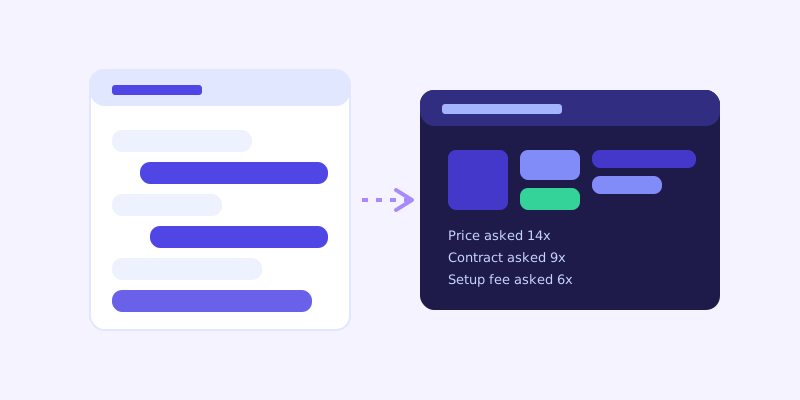
The same transcripts that reveal content gaps also double as a lightweight, always-running version of customer research. A pricing objection that shows up in chat forty times a month is worth forwarding to whoever writes your pricing page copy or your sales scripts, not just fixing on the chatbot's side. A product question that keeps surfacing before a purchase decision is a hint about what's actually creating hesitation at that stage of the funnel, information that's normally expensive to gather through surveys or interviews, showing up here for free because visitors were already typing it.
What not to do with transcripts
Don't over-correct based on a handful of unusual conversations, a single oddly worded chat isn't a pattern. Don't try to read every transcript line by line once volume picks up, sample a meaningful chunk each month and search for keyword clusters ("cancel," "refund," "compare," "price") instead of reading sequentially. And don't quote or republish visitor messages anywhere external, in testimonials, case studies, or marketing copy, without separate, explicit consent. Conversation transcripts can contain personal details a visitor volunteered mid-chat, and the right move is to act on the pattern across many conversations, not to lift and reuse any single one.
A practical habit that actually sticks
Skim the unanswered-questions log weekly, since it's short and catches outright gaps fast. Once a month, sample twenty to thirty full transcripts and search for the recurring phrases above. Fix what you find on the actual page, not just in a chatbot setting, since a crawl-based bot re-reads whatever the page says on its next crawl or live-fallback check with no separate retraining step. The unanswered list tells you what the bot couldn't say. The full transcripts tell you what your business keeps getting asked, which is the more useful list in the long run.
Frequently asked questions
Isn't the unanswered-questions log enough to find content gaps?
It catches outright misses, questions the bot couldn't confidently answer at all, but it can't tell you when an answer was technically correct yet thin or off-target. Reading a sample of full transcripts is the only way to catch a weak answer that's masquerading as a successful one.
How many conversation transcripts should I actually read?
You don't need to read every one. A monthly sample of twenty to thirty conversations, plus a keyword search across the full set for recurring terms like price, cancel, or compare, surfaces the same patterns a full read-through would, without the time cost.
Is it okay to quote something a visitor said in chat elsewhere, like a testimonial?
Not without separate, explicit consent from that visitor. A conversation log can contain personal details someone volunteered mid-chat, even if nothing on your site asked for them, so treat transcripts as a source of patterns to act on, not quotes to reuse.
Does live-fallback show up in transcripts too?
Yes, and it's part of why reading transcripts matters. When live-fallback successfully resolves a low-confidence question by re-checking the live page, the conversation reads as a normal, answered exchange, with nothing flagged. That answer still reveals a question your stored knowledge base didn't have fresh, which is exactly the kind of pattern that never shows up in an unanswered-questions log.
Try it yourself
Crawl your site and see what visitors are actually asking on ChatCrawl →
Build my chatbotMore articles
 Guides
How to Add an AI Chatbot to Your Website Without Code (2026 Guide)
A step-by-step walkthrough for adding a real AI chatbot to your website in minutes, no flow builder and no code required, plus exact install steps for WordPress, Shopify, Wix, and Squarespace.
Read article → Product & AI
Why Your Website Chatbot Keeps Saying "I'm Not Sure" (And How to Fix It)
Most AI chatbots answer from a snapshot of your site taken whenever they were last trained. Here's why that causes constant "I'm not sure" replies, and what a chatbot that checks live instead actually looks like.
Read article →