Why Your Website Chatbot Keeps Saying "I'm Not Sure" (And How to Fix It)
Updated July 25, 2026 · 8 min read

If you've tested your own website's chatbot with a handful of real customer questions, there's a good chance at least one came back with some version of "I'm not sure, would you like to talk to our team?" That answer isn't a bug in the traditional sense. It's the predictable result of how most chatbots are built.
The real cause: a frozen snapshot, not a live assistant
Almost every AI chatbot on the market works the same way underneath: it crawls your site once (or on an infrequent schedule), converts that content into a searchable knowledge base, and answers every future question by matching against that frozen snapshot. If your pricing changed last week, or you added a new service yesterday, the bot is still working from the version of your site it saw at training time.
This is why chatbots feel confident on the day they launch and slowly get worse from there. Nothing in the bot changed. Your site did, and the bot never went back to look.
Why this actually costs you customers
"I'm not sure" isn't a neutral answer. A visitor asking about your return policy, your current pricing tier, or whether you serve their area is close to a buying decision. A hedge at that exact moment reads as the business itself being unsure, and a meaningful share of visitors won't follow up by emailing you to get the real answer. They'll just leave.
The failure is also invisible unless you're specifically looking for it. A stale chatbot doesn't throw an error. It just quietly gives worse answers over time, and by default nothing tells you it's happening.
What a live-checking chatbot does differently
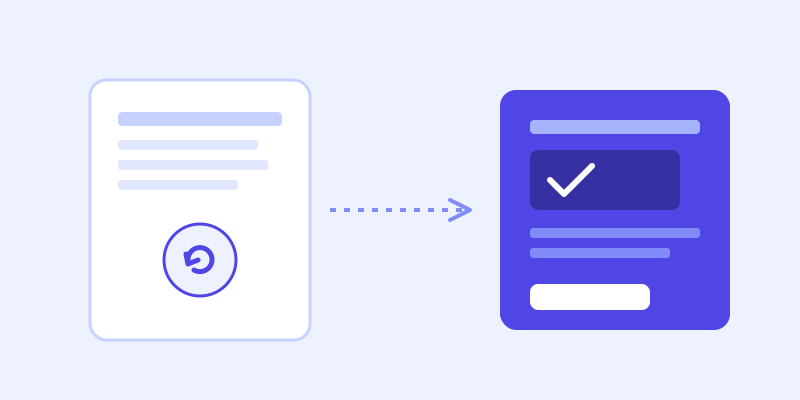
The fix isn't a bigger training step. It's changing what happens the moment the bot's confidence in its stored answer is low. Instead of immediately admitting defeat, the bot re-fetches the specific page it thinks is closest to the answer, in real time, and checks whether the live version actually resolves the question before giving up.
Concretely, that means: a visitor asks about your refund window, the bot's stored knowledge scores too low to trust, so it goes and reads your current refund policy page right then, answers from what it just found, and only says "I'm not sure" if that live check also comes up empty. The visitor never sees the intermediate step. They just get a correct, current answer instead of a hedge.
The second half: the bot should update itself
A live check that happens once and is forgotten only fixes that one conversation. The stronger version folds the fresh page content back into the bot's stored knowledge automatically, so the next visitor who asks the same thing gets a confident answer immediately, without needing another live check at all. Over time, the parts of your site that change most often are exactly the parts the bot re-learns most often, with no manual retraining step from you.
What to check before you assume your chatbot is "done"
If you're evaluating a chatbot tool, or trying to diagnose why your current one keeps hedging, ask three questions: does it re-crawl on any kind of schedule, or only once at setup? Does it show you a list of questions it couldn't answer, so you can see the actual gaps? And critically, does it do anything differently when its confidence is low, or does every uncertain question get the same generic hedge regardless of whether the real answer is one click away on your own site?
Frequently asked questions
Why does my website chatbot say "I'm not sure" so often?
Most chatbots are trained on a one-time or infrequent crawl of your site and answer every question from that frozen snapshot afterward. If your site has changed since the last crawl, or the question falls in a gap the original crawl missed, the bot has no way to know the current answer and defaults to a hedge.
How often should a chatbot re-crawl my website?
At minimum, on a regular schedule (weekly is common) so pricing, hours, and policy changes eventually get picked up. The stronger approach re-checks the live page in real time the moment a specific answer looks uncertain, rather than waiting for the next scheduled crawl, so accuracy doesn't depend on timing.
Can a chatbot fix its own knowledge gaps automatically?
Yes, if it's built to. When a live re-check of a page resolves a question the stored knowledge base couldn't, that fresh content can be folded back into the bot's knowledge automatically, so future visitors asking the same thing get a confident answer without another live check or any manual retraining.
Is it normal for a chatbot's answer quality to get worse over time?
It's common, but it isn't necessary. It happens specifically to chatbots trained on a static snapshot that never gets refreshed as your site changes. A chatbot that re-crawls regularly and checks live pages when uncertain should hold steady or improve over time instead of drifting.
More articles
 Guides
How to Add an AI Chatbot to Your Website Without Code (2026 Guide)
A step-by-step walkthrough for adding a real AI chatbot to your website in minutes, no flow builder and no code required, plus exact install steps for WordPress, Shopify, Wix, and Squarespace.
Read article →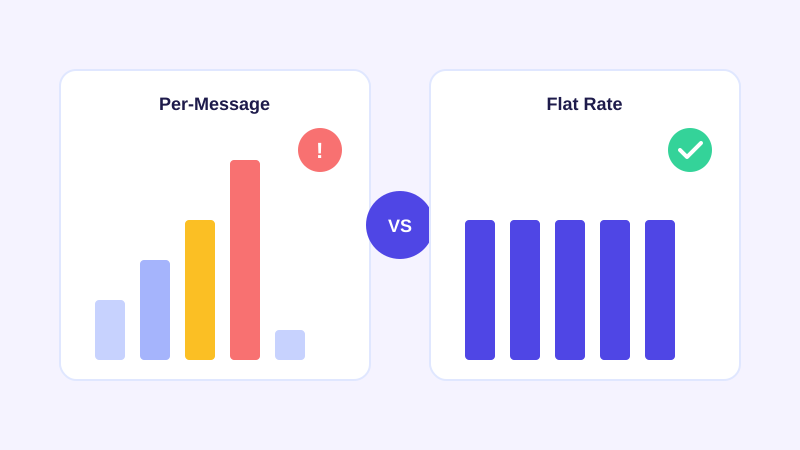 Pricing
Flat Rate vs Per Message AI Chatbot Pricing: What You're Actually Signing Up For
Most AI chatbot vendors charge by the message or conversation credit, which means your bill moves with your traffic. Here's what that actually costs you, and why flat per-plan pricing is worth comparing before you commit.
Read article →