AI Chatbots for Auto Dealerships: Answering Inventory, Financing, and Test Drive Questions Automatically
Updated September 7, 2026 · 7 min read
A car shopper browsing a dealership's website at 9pm isn't browsing casually. They've usually already narrowed things down to a model, a trim, maybe a color, and they're deciding whether this specific lot has what they want before they bother driving over or picking up the phone. If the site can't answer that question right then, in-stock, out the door price, financing options, the shopper doesn't wait until morning. They open a competitor's site instead, and a dealership only finds out it lost that lead when the sale never happens.
Why dealership questions cluster the same way
Despite how different a compact sedan lot and a luxury SUV showroom look on the surface, the questions shoppers ask are strikingly repetitive: is a specific vehicle still available, what's the price including fees, what would the estimated monthly payment look like, does this trim have a specific feature, and can they schedule a test drive. None of these require understanding a shopper's credit situation or negotiating a final number. They require reading the inventory listing, the finance page, and the contact or scheduling page correctly, which is exactly the kind of question a crawl-based chatbot is built to answer.
Where a crawl-based chatbot fits naturally
Most dealership sites already have the raw material a chatbot needs: individual vehicle listing pages with price, trim, mileage, and features, a finance or payment estimator page, a service department page, and a contact or test-drive scheduling page. A chatbot that crawls this content directly turns it into something a shopper can ask about in plain language instead of clicking through a filter sidebar looking for one specific trim. Add a vehicle to the lot or update a price, and the next crawl picks it up, with no separate step to re-teach the bot about that specific unit.
The part a one-time crawl gets wrong: inventory and pricing
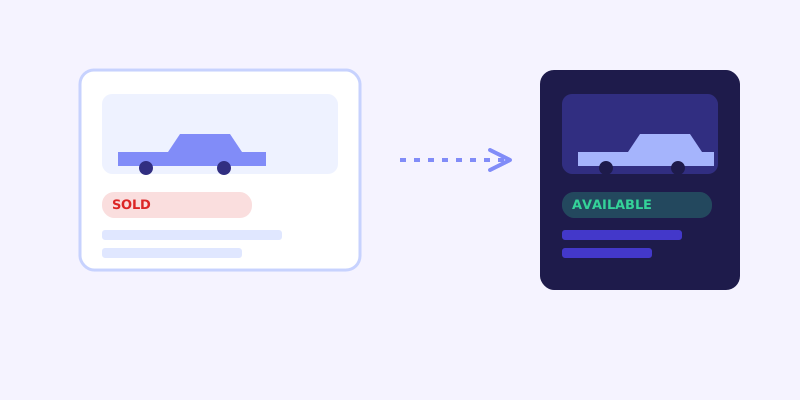
Dealership inventory turns over faster than almost any other kind of business website content. A popular trim can sell within a day of being listed, a manufacturer incentive can change a payment estimate overnight, and a price can get marked down before a holiday sale without every page on the site updating at the same time. A chatbot working from a stale snapshot will confidently tell a shopper a specific vehicle is available when it already sold that morning, which wastes a trip and damages trust in a way that's hard to walk back. This is exactly where a live re-check matters most: when a stored answer about a vehicle's availability or price scores low confidence, the bot re-fetching the actual listing page before answering catches a change the last crawl missed, then folds the fresh detail back into its knowledge base so the next shopper asking about that same vehicle gets the current answer without another live check.
What this looks like across different dealership types
A new-car franchise dealership typically gets asked about specific trims and packages, manufacturer incentives that change monthly, and whether a vehicle in transit has an expected arrival date, questions that depend heavily on content staying current since incentives and inbound inventory shift often. An independent used-car lot usually has a smaller, faster-turning inventory where a specific vehicle-in-question can sell within hours, making the live re-check more consequential per conversation since the odds of a stale answer go up with how quickly individual units move. A luxury or specialty dealership tends to field more feature and configuration questions relative to price-shopping ones, since buyers in that segment are often deciding between specific options rather than comparing sticker prices across lots, which makes detailed, accurate spec pages on the site matter as much as pricing does.
Getting your site ready before you connect a chatbot
A few checks make the biggest difference before the first crawl. Confirm each vehicle listing states price, trim, mileage, and key features in plain text, not only inside an embedded inventory widget that loads as an image or an iframe a crawler can't reliably read. Make sure your finance or payment estimator page explains, in plain terms, the assumptions behind any sample payment shown, since a shopper asking the chatbot about monthly payments needs the bot to state those assumptions too rather than quoting a number with no context. Keep your test-drive or appointment scheduling process described in text on an accessible page, even if actual booking happens through a separate calendar tool. And if incentives or rebates change on a schedule, treat that page as one to watch closely, since it's one of the fastest-changing pieces of content on the whole site.
What to check once it's live
The unanswered-question log tends to surface real gaps fast for a dealership site: a trim-specific feature question the listing page never mentioned, a financing term the estimator page assumes but never states outright, or a shopper asking about a vehicle by a nickname or color that doesn't match how it's listed in the system. Each of those is a small content fix, not a chatbot limitation, and each one closes a gap that was previously either a missed test-drive booking or a shopper who assumed the answer wasn't available and moved on to another lot.
The actual payoff
The value for a dealership isn't a chatbot that can discuss cars in the abstract. It's one that tells a shopper at 9pm whether a specific trim is still on the lot, what the out-the-door price actually looks like, and how to book a test drive for tomorrow morning, without anyone answering a phone after closing. For a business where a missed after-hours question often just means the shopper drives to a competitor's lot instead of waiting for a callback, that's a meaningful edge, and it comes from the same inventory and pricing content the dealership already maintains for shoppers reading the site directly.
Frequently asked questions
Can an AI chatbot tell shoppers if a specific vehicle is still available?
Yes, as long as availability is shown as text on the vehicle's listing page. A chatbot with a live re-check goes further, since if its stored knowledge about a vehicle's status looks stale or low-confidence, it re-fetches the actual listing page before answering, which matters because dealership inventory can turn over within hours.
Can a chatbot give an accurate monthly payment estimate?
It can state whatever estimate and assumptions are written on the site's finance or payment estimator page, the same way a shopper reading that page directly would see them. It shouldn't be relied on for a final, credit-adjusted number, since that depends on a shopper's specific financing details that a website crawl has no way to know.
Does a chatbot need to be trained separately for every vehicle on the lot?
No, not with a crawl-based chatbot. It reads vehicle listing pages directly, the same way it reads any other page, so a lot with dozens or hundreds of vehicles doesn't require a manual training entry for each one. Adding a new vehicle or updating a listing and letting the next crawl run is enough for the bot to pick up the change.
Why does inventory accuracy matter more for a dealership chatbot than for most other businesses?
Because vehicles can sell within hours of being listed, a chatbot answering from a stale crawl is more likely to confidently tell a shopper something is available when it's already sold. That's exactly the kind of drift a live re-check is meant to catch before the bot gives an outdated answer that costs a shopper a wasted trip to the lot.
Try it yourself
Crawl your inventory and get a chatbot that knows what's still on the lot →
Build my chatbotMore articles
 Guides
How to Add an AI Chatbot to Your Website Without Code (2026 Guide)
A step-by-step walkthrough for adding a real AI chatbot to your website in minutes, no flow builder and no code required, plus exact install steps for WordPress, Shopify, Wix, and Squarespace.
Read article → Product & AI
Why Your Website Chatbot Keeps Saying "I'm Not Sure" (And How to Fix It)
Most AI chatbots answer from a snapshot of your site taken whenever they were last trained. Here's why that causes constant "I'm not sure" replies, and what a chatbot that checks live instead actually looks like.
Read article →