AI Chatbots for Careers Pages: Answering Job, Benefits, and Application Questions Automatically
Updated August 24, 2026 · 7 min read
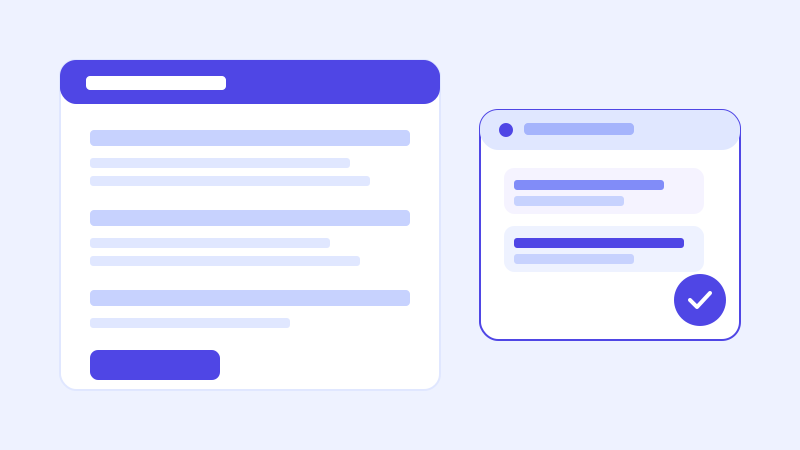
A careers page gets a narrower, more repetitive set of questions than almost any other part of a company website. Is this role remote or in office. What's the salary range. Do you sponsor visas. Is the position still open. A recruiter answering these one at a time by email is doing the same work a chatbot built from the careers page itself could do instantly, for every candidate, at any hour someone happens to be browsing openings.
Why career pages have such a predictable question set
Job seekers evaluate an opening against a short mental checklist before they ever open an application form: location and remote policy, compensation range, required experience, benefits, and how long the process typically takes. Almost every one of these is already written down somewhere on a well-built careers site, in the job listing itself, a benefits page, or a general FAQ about the hiring process. The problem isn't that the information doesn't exist. It's that a candidate skimming ten open roles across three companies isn't going to read a full job description end to end before deciding whether it's even worth their time, and a quick answer to one specific question often decides whether they apply at all.
Where a crawl-based chatbot fits naturally
A chatbot that reads a careers site directly, rather than requiring a recruiter to manually write out answers for every open role, fits this pattern well because the raw material already exists: individual job postings with their own requirements and location, a benefits or perks page, and often a general hiring FAQ covering things like interview stages or background check policy. Point the crawler at the site and the same listings written for a job board become what the bot answers from, with no separate training step and no risk of the bot's answers drifting out of sync with what the actual posting says, since both come from the same source.
The part a one-time crawl gets wrong: whether a role is still open
Job postings close, sometimes within days of going live, and a chatbot working from a stale snapshot will happily describe a role that was filled last week as if it's still accepting applications. That's a worse outcome than a candidate simply not finding the listing, because it wastes their time on an application that was never going anywhere, and it makes the company look disorganized the moment they find out. This is exactly the kind of question a live re-check matters most for: when a candidate asks about a specific opening and the bot's stored confidence is low, or the question is inherently time-sensitive, re-fetching the actual listing page before answering catches a closed role immediately rather than repeating outdated information until the next scheduled crawl happens to run.
What this looks like across different kinds of career pages
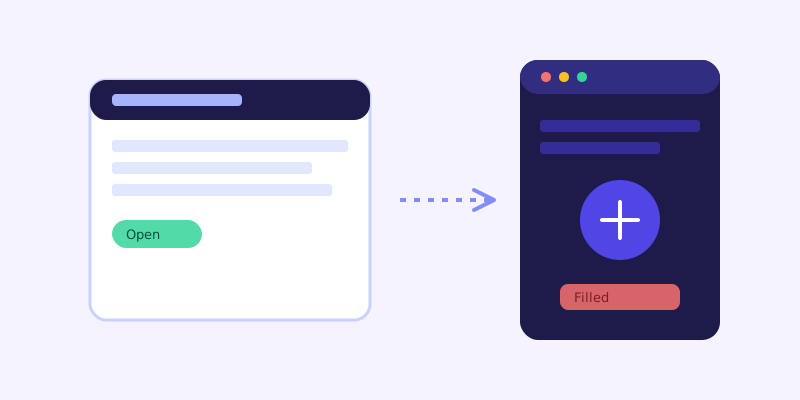
A single company's careers page typically has a modest number of open roles at any given time, each with its own listing, which makes it a clean fit for a crawl-based bot answering role-specific questions directly. A staffing or recruiting agency usually has a much larger, faster-moving set of postings across multiple clients, where roles open and close constantly, making the live re-check for open-status questions especially valuable rather than optional. A university or nonprofit career center tends to field a different mix of questions, less about a single role and more about general application steps, eligibility, and deadlines, which is often well documented on a static FAQ page and needs little beyond a clean crawl to answer confidently.
Getting your careers page ready before you connect a chatbot
A few checks before the first crawl save most of the follow-up cleanup. Make sure each open role has its own page with location, compensation range if you're willing to share one, and required experience stated in plain text, not only inside a PDF job description. Keep a single current benefits or perks page rather than repeating slightly different versions of the same list across multiple postings. State your general hiring process, roughly how many interview stages, typical timeline, whether background checks are required, somewhere a candidate can find it without asking. And make sure closed roles are actually removed or clearly marked as filled rather than left live on the site, since a chatbot can only be as accurate as what the page itself says.
What to check once it's live
The unanswered-question log tends to surface real gaps fast on a careers page. A cluster of questions about remote policy usually means it isn't stated clearly on individual listings. Repeated questions about salary range often mean postings are leaving it out entirely, which is worth addressing directly since candidates increasingly filter out listings that omit it before even opening them. Treat each pattern as a fix to the actual listing, not a chatbot problem, since the bot can only report what the page already says.
The actual payoff
The value isn't a chatbot that can discuss company culture in the abstract. It's one that answers the handful of concrete questions that actually decide whether a candidate applies, correctly, at 9pm on a Sunday when they're browsing openings after their day job, without a recruiter needing to be online to catch that moment. For a company hiring at any real volume, that's the difference between a careers page that quietly loses good candidates to a competitor with a faster answer, and one that keeps them moving through the process.
Frequently asked questions
Can an AI chatbot tell candidates if a job posting is still open?
Yes, as long as the careers page itself reflects accurate status. A chatbot with a live re-check goes further: if its stored knowledge about a specific role looks stale or low confidence, it re-fetches the actual listing page before answering, which matters since roles can close within days of going live.
Does a recruiter need to manually write answers for every open role?
No, not with a crawl-based chatbot. It reads job postings, benefits pages, and hiring FAQs the same way a candidate would, so the content already written for the careers site becomes what it answers from. Manual answers are only needed for details that genuinely aren't written anywhere yet.
What questions do most careers page chatbots get asked?
Overwhelmingly the practical filters candidates use to decide whether to apply: remote or in office, salary range, required experience, benefits, and how many interview stages to expect. The set is narrow, which is part of why a chatbot built from existing listings tends to work well here.
Should salary range be listed on job postings if a chatbot is answering questions about them?
It helps significantly. A chatbot can only answer what the posting actually states, so a listing that omits compensation entirely means the bot has to say it doesn't know, which is often the exact question that determines whether a candidate applies at all.
Try it yourself
Crawl your careers page and let a chatbot handle candidate questions →
Build my chatbotMore articles
 Guides
How to Add an AI Chatbot to Your Website Without Code (2026 Guide)
A step-by-step walkthrough for adding a real AI chatbot to your website in minutes, no flow builder and no code required, plus exact install steps for WordPress, Shopify, Wix, and Squarespace.
Read article → Product & AI
Why Your Website Chatbot Keeps Saying "I'm Not Sure" (And How to Fix It)
Most AI chatbots answer from a snapshot of your site taken whenever they were last trained. Here's why that causes constant "I'm not sure" replies, and what a chatbot that checks live instead actually looks like.
Read article →