AI Chatbots for Multi-Location Businesses: Getting the Right Location to Answer
Updated August 20, 2026 · 7 min read
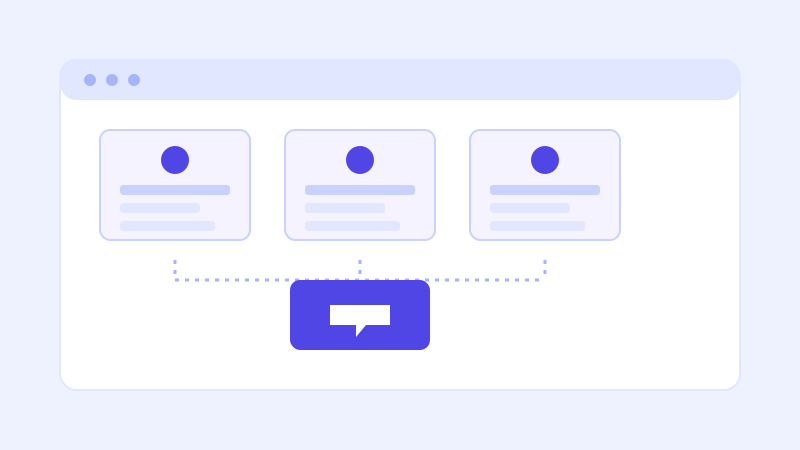
A chain with three locations and a chain with thirty have the same underlying chatbot problem, just at different scales: a visitor asking "what time do you close" almost never means all of them, they mean the one they're actually planning to visit. A chatbot that answers with a single generic set of hours, prices, or services is giving a confident answer to the wrong question, which is arguably worse than not answering at all, since the visitor has no reason to doubt it.
Why one generic chatbot breaks across locations
Most multi-location businesses have real differences between sites that a single FAQ page glosses over: different hours, different managers or staff, different service areas or delivery radii, sometimes different pricing entirely if locations are independently owned or operate in different cost-of-living markets. A chatbot trained on a single blended answer, or on whichever location's page happened to get crawled first, will confidently apply one location's details to a visitor asking about a completely different one. The visitor has no way to know that happened, they just get an answer that turns out to be wrong when they actually show up or call.
Where a crawl-based chatbot fits, and where it needs help
A chatbot that crawls a website directly handles this well when the site itself is structured to make each location distinct, individual location pages with their own hours, address, and details, rather than one page trying to describe every location at once. The crawler indexes each page separately, which means the underlying knowledge base already has the right raw material to answer for a specific location correctly. What it can't do on its own is know which location a visitor means if the site never makes that distinction clear, or if the visitor's question doesn't name one.
The real fix: knowing which location a visitor means
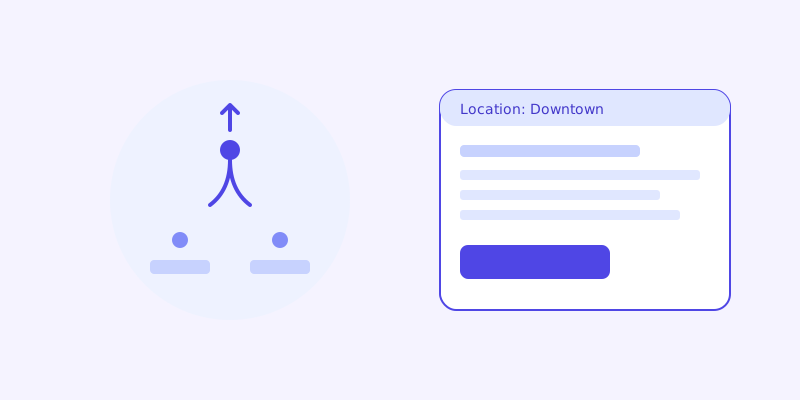
The most reliable version of this asks a visitor which location they mean when a question is location-dependent and none has been specified yet, the same way a human at a call center would. On a location-specific page, a chatbot embedded on that page's own URL can reasonably assume the visitor means that location by default, since that's the page they're actually looking at. A chatbot embedded uniformly across the whole site needs a lighter version of the same clarifying step, one quick question, rather than guessing and risking a mismatched answer.
The part a one-time crawl gets wrong: which details are current
Even with well-structured location pages, individual locations change independently of each other. One location extends its hours for a holiday, another temporarily closes for renovation, a third changes its delivery radius. A chatbot working from a stale snapshot can apply outdated details to exactly the one location that changed, while every other location's answer stays correct, which makes the error harder to notice since most answers are still right. This is where a live re-check matters: when a stored answer about one specific location's hours or availability scores low confidence, re-fetching that location's actual page before answering catches a change other locations didn't have, without needing to re-crawl the entire site to find it.
What this looks like across different kinds of chains
A franchise brand with independently owned locations often has the widest variation, since pricing, promotions, and even some policies can differ franchisee to franchisee, which makes a single blended answer especially risky and a location-specific answer especially necessary. A corporate-owned chain usually has more consistency in pricing and policy but still varies on hours, staff, and local service details, where the same location-first approach still catches real differences. A service business with multiple service areas rather than physical storefronts, a cleaning company or a home repair franchise, faces a related version of the same problem: a visitor's own address effectively determines which "location" applies, which makes asking for a zip code or area early in the conversation the equivalent of asking which storefront a visitor means.
Getting your site ready before you connect a chatbot
A few structural choices make the biggest difference before the first crawl. Give each location its own page with its own hours, address, and any location-specific pricing or services, rather than one generic page with a list of addresses at the bottom. Make sure each page is reachable by a normal crawl, not only through a location-picker widget that requires a click a crawler won't make. Keep location names consistent between what the chatbot will hear from visitors and what's written on the page, since a visitor typing a neighborhood name needs to match a page that might only list a street address. And if pricing or policy genuinely varies by location, say so explicitly rather than letting a generic company-wide page imply it's the same everywhere.
What to check once it's live
The unanswered-question log and, more specifically, patterns in the live-fallback trigger log are worth watching by location for a multi-location business. A cluster of low-confidence answers concentrated on one specific location usually means that location's page is thin, outdated, or was never separated out from a general company page in the first place. That's a fast, targeted fix, since it points at exactly one page to update rather than a vague sense that the chatbot needs improvement across the board.
The actual payoff
The value isn't a chatbot that knows about every location in the abstract. It's one that answers correctly for the specific location a visitor is actually asking about, catching the fact that hours, pricing, or availability differ from one site to the next instead of quietly averaging them into a single answer that's only ever right by coincidence. For a business with more than one storefront or service area, that distinction is the difference between a chatbot that's actually useful and one that sends visitors to the wrong address at the wrong time.
Frequently asked questions
How does an AI chatbot know which location a visitor is asking about?
On a location-specific page, the chatbot can reasonably default to that location since it's the page the visitor is actually on. Across a whole site, or when the question doesn't make the location clear, a well-built chatbot asks a quick clarifying question rather than guessing and risking a mismatched answer.
Do franchise businesses need a different chatbot setup than a single-location business?
The underlying setup is the same, a crawl of the website, but the site itself needs individual pages per location with their own hours, pricing, and details, since franchise locations often vary more from each other than corporate-owned chain locations do. Without that page-level separation, the bot has no way to tell locations apart.
What happens if one location's hours change but others don't?
A chatbot working from a stale crawl can keep answering correctly for every other location while getting the one that changed wrong, which is easy to miss since most answers still look right. A live re-check that re-fetches a specific location's page when its stored answer scores low confidence catches this kind of isolated change without needing a full site re-crawl.
How should a service business with service areas instead of storefronts handle this?
The same location-first logic applies, just triggered by an address or zip code instead of a storefront name. Asking a visitor for their area early in a location-dependent conversation lets the chatbot answer with the pricing, availability, or service details that actually apply to them, rather than a generic answer that may not hold for their specific area.
Try it yourself
Crawl every location's pages and get answers that match the right one →
Build my chatbotMore articles
 Guides
How to Add an AI Chatbot to Your Website Without Code (2026 Guide)
A step-by-step walkthrough for adding a real AI chatbot to your website in minutes, no flow builder and no code required, plus exact install steps for WordPress, Shopify, Wix, and Squarespace.
Read article → Product & AI
Why Your Website Chatbot Keeps Saying "I'm Not Sure" (And How to Fix It)
Most AI chatbots answer from a snapshot of your site taken whenever they were last trained. Here's why that causes constant "I'm not sure" replies, and what a chatbot that checks live instead actually looks like.
Read article →