AI Chatbots for Photography and Videography Studios: Answering Package, Availability, and Turnaround Questions Automatically
Updated November 9, 2026 · 7 min read
Someone browsing a photography or videography studio's website at 10pm is usually comparing a handful of studios at once, and the question deciding which one gets an inquiry is almost always something small and factual: what does the mid-tier package actually include, is a specific Saturday in June still open, and how long does it take to get the final photos back. None of that requires a phone call to answer, and a studio that makes a browsing visitor wait until business hours for it is quietly losing them to whichever studio answers first. A chatbot built from the studio's own packages, portfolio, and FAQ pages can answer instantly, at the exact moment someone's deciding who to shortlist.
Why studio questions cluster the same way
Across wedding photographers, family and portrait studios, and videography businesses, the questions that come up are strikingly consistent: what's included in each package, how far out does the studio typically book, is a specific date available, how many hours or photos come with a given tier, what happens with add-ons like a second shooter or an engagement session, and how long editing and delivery actually take. None of these require knowing anything about a specific client's event. They require reading the packages page, the portfolio or process page, and the FAQ correctly, which is exactly what a crawl-based chatbot does well.
Where a crawl-based chatbot fits naturally
Most studio websites already have this content published somewhere: a packages or investment page breaking down tiers and what each includes, a portfolio or process page describing how a shoot and delivery actually work, and often an FAQ addressing travel fees, rescheduling, and licensing. A chatbot that crawls this directly turns a visitor's "what's the difference between your silver and gold packages" into an instant, accurate answer pulled from the real pricing page instead of a vague summary. Update a package or add a new add-on, and the next crawl picks it up with no manual re-entry.
The part a one-time crawl gets wrong: open dates and current turnaround
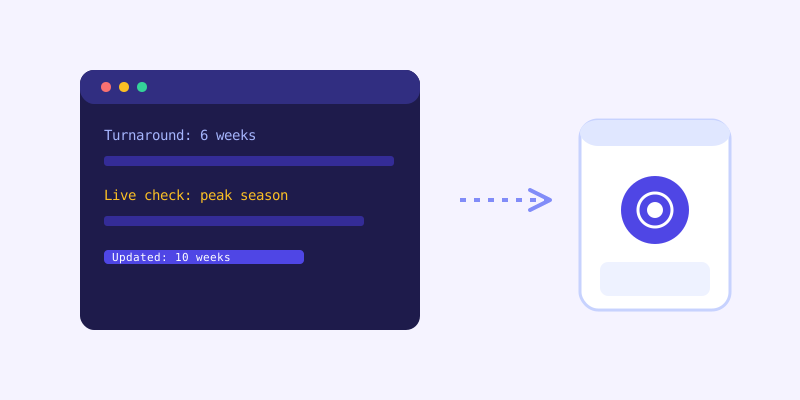
Availability and turnaround time are the two things on a studio site that change fastest and matter most. A date that was open last month fills the moment someone books it, and a studio's editing turnaround can stretch during peak wedding season and shrink again once it passes. A chatbot answering from a stale crawl might confidently quote a six-week turnaround the studio actually bumped to ten weeks during busy season, or miss that a popular Saturday just got booked. This is where a live re-check matters: when a stored answer about availability or current turnaround scores low confidence, the bot re-fetches the relevant page live, answers from what's actually there right now, and folds that update back into its knowledge base so the next visitor asking about that same date or timeline gets the current answer without another live check.
What this looks like across different kinds of studios
A wedding photography or videography studio fields the highest-stakes questions: date availability, package inclusions, and whether a specific venue has been shot before, all needing fast, confident answers since couples are often comparing three or four studios in the same evening. A family or portrait studio gets more recurring, lower-pressure questions: session pricing, what's included in prints versus digital files, and how often sessions can be rebooked. A commercial or brand videography studio sees fewer pricing questions upfront and more scope and process ones, how a shoot day is structured, what's included in a typical deliverable, and how revisions work, since commercial clients are usually evaluating fit before they ever ask about cost.
Getting your site ready before you connect a chatbot
A few checks make the biggest difference before the first crawl. Publish package details clearly, hours, deliverable counts, and what's included at each tier, since "contact for pricing" is the single most common reason a browsing visitor leaves without inquiring. Keep a real availability calendar or booking page current if dates matter to your business, since a chatbot can only reflect what the page actually shows. Write out turnaround times honestly, including how they shift during busy seasons, so the bot isn't caught quoting an off-season number during peak wedding months. And state travel, licensing, and rescheduling policies in plain text, since these are exactly the kind of details clients ask about right before deciding to book.
What to check once it's live
The unanswered-question log for a studio site tends to surface specific, useful gaps: a question about a venue or location the portfolio never mentions, an add-on the studio offers but never listed on the packages page, or a licensing question the studio handles case by case but never wrote down anywhere. Each one is a small content fix, and each one closes a gap that previously meant a visitor left to find a studio whose site actually answered the question.
The actual payoff
The value here isn't a chatbot that can discuss artistic style. It's one that tells a visitor at 10pm what the gold package actually includes, whether a specific Saturday is open, and how long editing realistically takes, pulled straight from pages the studio already maintains. For a business where the decision to inquire often happens in a single late-evening browsing session, answering those three questions instantly is frequently the entire difference between an inquiry and a visitor who quietly moves on to the next tab.
Frequently asked questions
Can a chatbot tell clients if a specific date is available?
Yes, as long as the studio keeps an availability calendar or booking page current on its site, since the chatbot answers from that same page. If a stored answer about a date scores low confidence against what the live page shows, it re-checks that page before responding, which catches a date that was booked since the last scheduled crawl.
Will the chatbot quote the wrong price for a package that changed?
Not if the packages page itself is kept current, since that's the source the chatbot reads from. A low-confidence answer triggers a live re-check of the pricing page rather than relying purely on the last scheduled crawl, which catches most recent updates before they turn into a wrong quote.
Does a chatbot need separate training for weddings versus portrait sessions?
No. A crawl-based chatbot reads whichever package and process pages actually describe each service, so a studio offering both weddings and family portraits doesn't need a manual entry for each one. Keeping each service's page clearly written is what makes the bot answer both accurately.
What should a studio fix on its site before turning on a chatbot?
Prioritize clear package details instead of "contact for pricing," a current availability calendar if booking dates matter, honest turnaround times that account for busy seasons, and plainly written travel, licensing, and rescheduling policies, since those are the questions visitors ask most right before deciding whether to inquire.
Try it yourself
Crawl your studio's site and let a chatbot answer package and booking questions →
Build my chatbotMore articles
 Guides
How to Add an AI Chatbot to Your Website Without Code (2026 Guide)
A step-by-step walkthrough for adding a real AI chatbot to your website in minutes, no flow builder and no code required, plus exact install steps for WordPress, Shopify, Wix, and Squarespace.
Read article → Product & AI
Why Your Website Chatbot Keeps Saying "I'm Not Sure" (And How to Fix It)
Most AI chatbots answer from a snapshot of your site taken whenever they were last trained. Here's why that causes constant "I'm not sure" replies, and what a chatbot that checks live instead actually looks like.
Read article →