AI Chatbots for Property Management: Answering Unit Availability, Amenities, and Application Questions Automatically
Updated September 10, 2026 · 7 min read
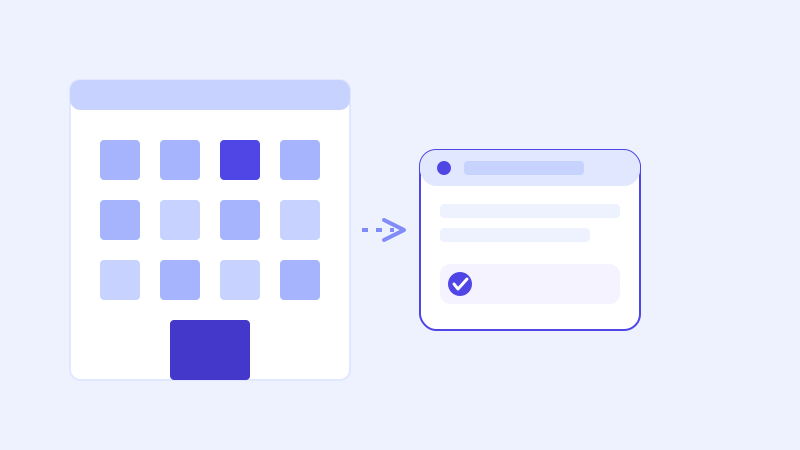
A prospective renter browsing a property website at 9pm on a Tuesday wants to know three things fast: is anything actually available, what does it cost, and can pets come along. If the answer to any of those takes a phone call during office hours the next day, a meaningful share of that traffic moves on to the next listing instead of waiting. Property management websites already contain most of these answers. The problem is usually that nobody's there to type them back in the moment someone's asking.
The five questions every prospective renter asks first
Across property types, from a single small apartment building to a large multifamily portfolio, the questions repeat with remarkable consistency: what's currently available and when can I move in, what does a specific floor plan or unit cost, what's the pet policy and is there a deposit or fee, what amenities are included, and how do I actually apply or schedule a tour. None of these are unusual asks. They're also almost always already written down somewhere on a property's website: a floor plans page, a rent range, a pet policy section, an amenities list, and an application or contact page.
Why a crawl-based chatbot fits a property site well
A chatbot that reads a property website directly, rather than requiring a leasing team to hand-type a script of anticipated questions, fits this pattern closely because the raw material already exists in a form built for human visitors. Point the crawler at the site, and the same floor plan descriptions, amenity lists, and pet policy language that was written for a person browsing becomes what the bot answers from. Add a new floor plan or update a policy, and the next crawl picks it up automatically, with no separate step to keep a second copy of that information in sync.
The one thing a one-time crawl gets wrong: availability
Amenities and pet policy barely change month to month. Unit availability changes constantly, sometimes within the same day a listing goes up. A chatbot working from a stored snapshot will confidently tell a prospect a unit is open when it was leased that morning, which is a worse outcome than not answering at all, since it sends a genuinely interested renter toward a tour that can't happen. This is exactly where a live re-check matters: when a stored answer about availability scores low confidence, or the question is inherently time-sensitive, the stronger approach re-fetches the actual listings page before answering rather than repeating whatever it last crawled. The fresh answer then gets folded back into the knowledge base, so the next prospect asking about that same floor plan gets a current answer without triggering another live check.
What this looks like across property types
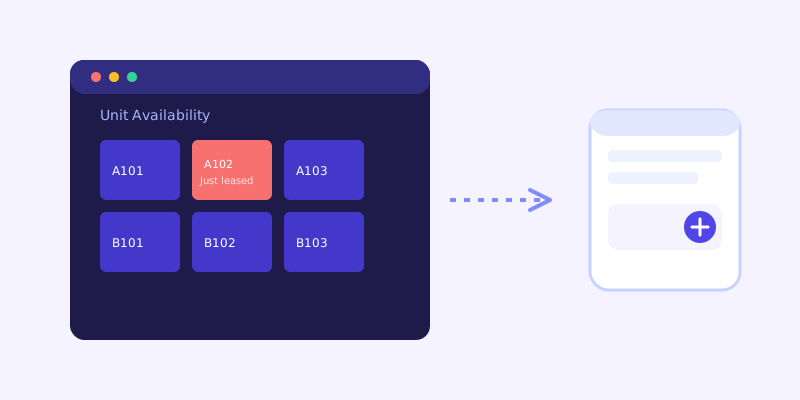
A multifamily apartment community typically fields the heaviest volume of the five core questions, and benefits most from the live availability check, since a popular floor plan can turn over within hours of being listed. A single-family rental portfolio tends to get more specific questions per property, yard access, parking, exact square footage, so the underlying listing pages need to spell those details out individually rather than relying on one generic description across every property. Student housing adds a layer of seasonal questions on top of the usual set, lease term length, whether furniture is included, and roommate matching, questions that are almost entirely informational and answer well from site content with no live check required at all.
Getting your listings site ready before you connect a chatbot
A few checks before connecting a chatbot save most of the cleanup later. Confirm every active floor plan or unit type has its own page or clearly labeled section with a real price range, not just a request-a-tour button. State the pet policy explicitly, including size or breed restrictions and any deposit amount, rather than a vague pets-welcome line. List amenities in plain text rather than only inside a photo gallery, since a chatbot can't read what a gym or pool looks like from a picture. And keep availability status visible on the page itself, since a chatbot can only reflect what's actually shown there, live check or not.
What to check once it's live
The unanswered-question log is the fastest way to see where a property site's content actually falls short. Common gaps for property sites include a specific fee, like an application fee or a parking fee, that was never listed anywhere, a floor plan referred to by a nickname prospects use that doesn't match the official name on the site, or a nearby amenity, a park, a transit stop, a school district, that prospects ask about constantly but the site never mentions. Each of those is a short content fix, not a chatbot problem, and each one closes a gap that was previously costing a phone call or a lost lead.
The actual payoff
The value here isn't answering an unusual question well. It's answering the same handful of ordinary questions correctly, at whatever hour someone happens to be scrolling listings, without a leasing agent retyping the same reply for the fifth time that day. Most property websites still route every question to a contact form or a phone line that only picks up during office hours, which is exactly when a prospect deciding between two similar listings has already moved on to the one that answered first.
Frequently asked questions
Can an AI chatbot tell prospects if a unit is actually available right now?
Only reliably if it checks the live listings page when its stored answer looks uncertain, since availability can change within hours of a unit being listed. A chatbot built only on a stored snapshot risks telling a prospect a unit is open when it was leased earlier that same day.
Do I need to write chatbot responses for every floor plan separately?
No, not with a crawl-based chatbot. It reads each floor plan or unit page directly, the same way a prospect would, so a property with dozens of unit types doesn't need a manually written answer for each one. Updating a page and letting the next crawl run is enough.
What property details should I check before connecting a chatbot?
Make sure every floor plan has a clear price range, the pet policy states specific restrictions and fees rather than a vague line, amenities are listed as text rather than only shown in photos, and current availability is visible on the page itself.
How is a chatbot for a property site different from one for a typical service business?
The underlying setup is similar, but availability makes property chatbots a stronger case for a live re-check specifically, since unit status changes far more often than hours or pricing does for most service businesses. Getting that live-check behavior right matters more here than in most other industries.
More articles
 Guides
How to Add an AI Chatbot to Your Website Without Code (2026 Guide)
A step-by-step walkthrough for adding a real AI chatbot to your website in minutes, no flow builder and no code required, plus exact install steps for WordPress, Shopify, Wix, and Squarespace.
Read article → Product & AI
Why Your Website Chatbot Keeps Saying "I'm Not Sure" (And How to Fix It)
Most AI chatbots answer from a snapshot of your site taken whenever they were last trained. Here's why that causes constant "I'm not sure" replies, and what a chatbot that checks live instead actually looks like.
Read article →