AI Chatbots for Real Estate Websites: Answering Listing, Neighborhood, and Showing Questions Automatically
Updated August 13, 2026 · 7 min read
A house hunter browsing a real estate website rarely reads one listing start to finish before asking a question. They skim photos, then want to know something the listing page didn't quite spell out: is this still available, what's the HOA fee, how are the schools nearby, can I see it this weekend. An agent or brokerage fields the same handful of question types across every single listing, which makes real estate one of the clearest cases for a chatbot that reads the site directly instead of being trained by hand. Because a home purchase or a rental decision moves fast and involves real money, a visitor who can't get a quick answer often just moves on to the next listing rather than waiting for a callback.
Why real estate sites ask the same questions on repeat
Despite how different one property is from another, buyer and renter questions cluster tightly: is a listing still active, what's included in the price (HOA dues, taxes, utilities), what's the neighborhood and school district like, how many bedrooms and bathrooms, and how to schedule a showing. None of these require understanding a buyer's specific financial situation. They require reading the listing page, the neighborhood or community page, and the contact or scheduling page correctly, which is exactly what a chatbot built from a website crawl is suited to do. That narrowness is useful, since the bot doesn't need to understand financing or negotiation, only to answer the same five or six categories of question accurately for whichever property a visitor happens to be looking at.
Where a crawl-based chatbot fits naturally
A real estate site usually already has the raw material a chatbot needs: individual listing pages with price, square footage, and features, a neighborhood or community guide, an agent or team bio page, and a contact or showing-request page. Point a crawler at the site and that same content, written for a human browsing listings, becomes what the bot answers from directly. Add a new listing or update a price, and the next crawl picks it up, with no separate step to re-teach the bot about that specific property.
The part a one-time crawl gets wrong: status and price
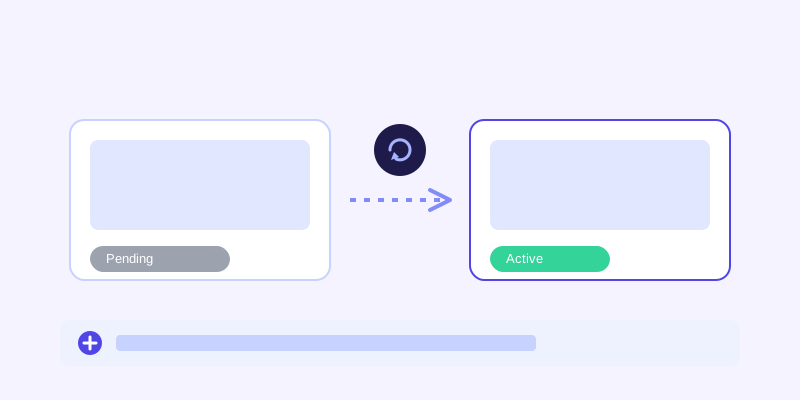
Real estate content changes faster than almost anything else on a business website. A listing can go from active to pending in a single afternoon, a price can drop before an open house, and a unit that was available this morning can be under contract by evening. A chatbot working from a stale snapshot will happily tell a visitor a property is available when it already has an accepted offer, which does real damage to trust and wastes everyone's time. This is exactly the situation a live re-check matters most for: when a stored answer about a listing's status or price scores low confidence, or the question is inherently about something time-sensitive, the bot re-fetching the actual listing page before answering catches a change the last crawl missed, then folds the fresh detail back into its knowledge base so the next visitor gets the current answer without another live check.
What this looks like across different real estate businesses
A solo agent or small team site typically gets asked about a handful of active listings, showing availability, and general questions about the areas they serve, a narrow enough set that a chatbot built from the site's own listing and neighborhood pages covers most of it well. A brokerage with dozens or hundreds of listings faces a harder version of the same problem, since keeping every listing page individually accurate is a bigger lift, and a live re-check matters more here because the odds that any single listing changed since the last crawl go up with the size of the catalog. A property management or rental company deals with an additional layer, since availability and move-in dates shift constantly and a unit that was open last week might already be leased, making a live check less of a nice-to-have and closer to a requirement for any question about current availability.
Getting your site ready before you connect a chatbot
A few checks make the biggest difference before the first crawl. Confirm each listing page states price, key features, and status (active, pending, sold) in plain text rather than only in a photo gallery caption or a separate widget a crawler can't read. Make sure neighborhood and school information lives on an actual page rather than only in a downloadable market report. Keep showing and contact instructions consistent across listings instead of copy-pasted with slight variations that drift out of sync. And if listings frequently go under contract or get leased quickly, treat that as a signal to confirm live re-checking is actually turned on, rather than relying on a weekly or monthly crawl schedule alone.
What to check once it's live
The unanswered-question log tends to surface gaps fast for a real estate site: a neighborhood question the site never actually addresses beyond a generic blurb, a financing or down-payment question that's outside what the site covers and should route straight to an agent, or a specific amenity question about a property whose listing page never mentioned it. Each of those is either a content fix or a clear signal that the question belongs with a human, not a chatbot limitation to work around.
The actual payoff
The value isn't a chatbot that can discuss real estate in the abstract. It's one that tells a visitor at 9pm on a Sunday whether a specific listing is still available, what it actually costs including HOA fees, and how to book a showing, without that visitor waiting until Monday morning for an agent to call back. For a business where listings move fast and a delayed answer often means a lost showing altogether, that's a meaningful edge, and it comes from the same website content the business already maintains for human visitors, not a separate system to keep in sync.
Frequently asked questions
Can an AI chatbot tell visitors if a listing is still available?
Yes, as long as listing status is shown as text on the listing page itself. A chatbot with a live re-check goes further, since if its stored knowledge about a listing's status looks stale or low-confidence, it re-fetches the actual listing page before answering, which matters because status changes faster than most other real estate content.
Does a chatbot need to be trained separately for every listing?
No, not with a crawl-based chatbot. It reads listing pages directly, the same way it reads any other page, so a site with dozens or hundreds of active listings doesn't require a manual training entry for each one. Adding or updating a listing and re-crawling is enough for the bot to pick up the change.
Should a real estate chatbot answer financing or mortgage questions?
It can point to general information if the site covers it, but financing questions usually depend on a buyer's specific situation, which makes them a good candidate for routing to an agent rather than something the bot should try to answer definitively. A well-built chatbot should recognize this distinction rather than guessing at numbers that depend on individual circumstances.
Why does listing status matter more for chatbot accuracy than most other content?
Because it changes faster. A property can move from active to pending within hours, and a chatbot answering from a stale crawl can confidently tell a visitor something is available when it's already under contract. That's exactly the kind of drift a live re-check is meant to catch before the bot gives an outdated answer.
Try it yourself
Crawl your listings and get a chatbot that knows what's still available →
Build my chatbotMore articles
 Guides
How to Add an AI Chatbot to Your Website Without Code (2026 Guide)
A step-by-step walkthrough for adding a real AI chatbot to your website in minutes, no flow builder and no code required, plus exact install steps for WordPress, Shopify, Wix, and Squarespace.
Read article → Product & AI
Why Your Website Chatbot Keeps Saying "I'm Not Sure" (And How to Fix It)
Most AI chatbots answer from a snapshot of your site taken whenever they were last trained. Here's why that causes constant "I'm not sure" replies, and what a chatbot that checks live instead actually looks like.
Read article →