AI Chatbots for Recruiting and Staffing Agencies: Answering Job, Application, and Client Questions Automatically
Updated November 9, 2026 · 7 min read
A recruiting or staffing agency's website carries a strange double duty: half the people on it are candidates trying to figure out whether a role is still open and how to apply, and the other half are hiring managers trying to figure out whether this agency is worth a call at all. Most agency sites answer neither group particularly well, because the information that matters to each one is scattered across a job board, an about page, and a contact form that goes to the same inbox for both audiences. A chatbot built from the agency's own pages can sort that out instantly, answering a candidate's question as a candidate question and a client's as a client question, without either one waiting on an email reply.
Why staffing questions cluster around two different audiences
Candidates ask a narrow, repeatable set of questions: is this specific role still open, what does it pay, where is it located, is it remote or on-site, and what happens after they submit an application. Employers considering the agency ask a different narrow set: what industries or roles does the agency specialize in, how does their fee or placement model work, how fast can they typically fill a role, and do they handle temp, temp-to-hire, or direct placement. Neither group wants to fill out a form and wait for a callback to get a factual answer that's already written down somewhere on the site. A chatbot that reads both the job board and the services or about pages can answer either audience correctly, because it knows which page the answer actually lives on.
Where a crawl-based chatbot fits naturally
Most agency websites already publish exactly what's needed: a job board or careers listing with open roles, a services or industries page describing what the agency staffs and how, and an about or process page explaining how placements typically work. A chatbot that crawls this content directly turns a candidate's "is the warehouse supervisor role still open" or a client's "do you place accounting temps" into an instant, accurate answer pulled from the agency's real listings instead of a generic script. Post a new role or update a client-facing service page, and the next crawl picks it up without anyone re-training anything.
The part a one-time crawl gets wrong: roles that fill fast
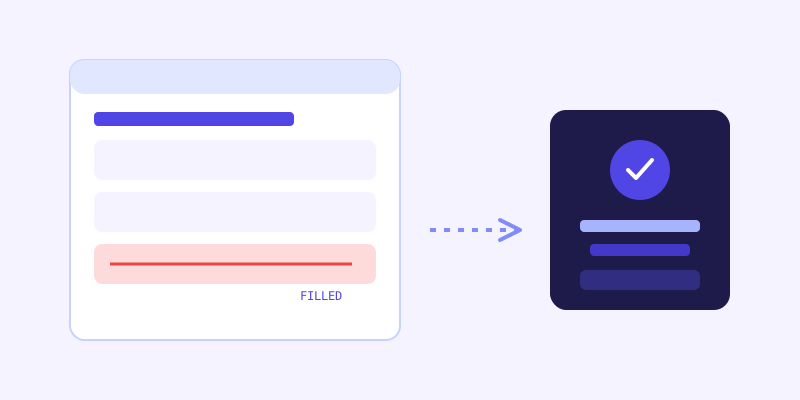
Staffing is one of the fastest-moving content types on any website. A role posted Monday can be filled by Wednesday, and a job board that isn't pulled down in time leaves a chatbot confidently telling candidates a closed position is open. This is exactly where a live re-check earns its keep: when a stored answer about a specific role's status scores low confidence against what's actually on the page now, the bot re-fetches that listing live, answers from the current version, and folds the update back into its knowledge base so the next candidate asking about that same role gets the accurate status without triggering another live check. It's the difference between a chatbot that quotes last week's job board and one that catches a listing pulled down an hour ago.
What this looks like across different kinds of agencies
A general staffing agency fields mostly candidate volume: role status, pay range, shift details, and how quickly someone can start, almost all answerable straight from a well-maintained job board. An executive or specialized recruiting firm gets fewer candidate questions and more client-side ones: what verticals they recruit for, how retained versus contingency search works, and what their typical placement timeline looks like, information that needs to live in clear prose rather than buried in a pitch deck nobody linked from the site. A high-volume industrial or light-industrial staffing agency sees the highest candidate traffic of the three, often from people applying on a phone between shifts, where fast, simple answers about location, pay, and next steps matter more than anything else on the page.
Getting your site ready before you connect a chatbot
A few checks make the biggest difference before the first crawl. Keep the job board itself current, since a chatbot can only be as accurate as the listings it reads, and a role left up after it's filled is the single most common complaint candidates have about staffing sites. Write out the application process in plain text: what happens after someone applies, how long it typically takes to hear back, and whether a resume alone is enough or a phone screen comes first. State clearly which industries, roles, and placement types (temp, temp-to-hire, direct hire) the agency actually handles, since that's the first thing a prospective client wants confirmed. And if pay ranges are something the agency is comfortable publishing, put them on the listing itself rather than leaving the bot to say "contact us" on the question candidates ask most.
What to check once it's live
The unanswered-question log tends to surface two different kinds of gaps for a staffing site: candidate questions about a role or benefit the listing never actually states, and client questions about fee structure or guarantee periods the agency handles over the phone but never wrote down. Both are quick content fixes, and both close a gap that previously meant either a candidate gave up and applied elsewhere, or a prospective client never got the answer that would have moved them to a call.
The actual payoff
The value here isn't a chatbot that can conduct a phone screen. It's one that tells a candidate at 11pm whether tonight's shift opening is still live and how to apply, and tells a hiring manager at 2pm on a Tuesday whether this agency actually staffs their industry, both pulled straight from pages the agency already maintains. For a business where a stale job posting or an unanswered client question both translate directly into lost placements, that's not a convenience feature, it's the difference between a lead that converts and one that goes to a competitor who answered first.
Frequently asked questions
Can a chatbot tell candidates if a specific job is still accepting applications?
Yes, as long as the job board itself reflects current status, since the chatbot reads from the same listings a candidate would see directly. If a role is pulled down or marked filled on the site, a low-confidence stored answer triggers a live re-check of that listing before the bot responds, which catches most same-day changes that a scheduled crawl alone would miss.
Will the chatbot confuse candidate questions with client questions?
No, because it answers from whichever page actually contains the relevant content, a job listing for a candidate question or a services page for a client question, rather than from one generic script. Writing both audiences' information clearly on separate pages is what makes this distinction work well in practice.
Does a chatbot replace a recruiter's screening calls?
No, and it isn't meant to. It handles the repetitive, factual questions, role status, pay range, application steps, industries served, that come up identically for every visitor, and should hand off anything requiring judgment, like actual candidate screening or fee negotiation, to a recruiter directly.
What should a staffing agency fix on its site before turning on a chatbot?
Start with keeping the job board itself current, since that's the single biggest source of wrong answers. Then write out the application process, the industries and placement types actually handled, and pay ranges where the agency is comfortable publishing them, so the bot has real content to answer from instead of defaulting to "contact us."
Try it yourself
Crawl your agency's site and let a chatbot handle candidate and client questions →
Build my chatbotMore articles
 Guides
How to Add an AI Chatbot to Your Website Without Code (2026 Guide)
A step-by-step walkthrough for adding a real AI chatbot to your website in minutes, no flow builder and no code required, plus exact install steps for WordPress, Shopify, Wix, and Squarespace.
Read article → Product & AI
Why Your Website Chatbot Keeps Saying "I'm Not Sure" (And How to Fix It)
Most AI chatbots answer from a snapshot of your site taken whenever they were last trained. Here's why that causes constant "I'm not sure" replies, and what a chatbot that checks live instead actually looks like.
Read article →