AI Chatbots for Restaurants and Hospitality: Answering Menu, Hours, and Reservation Questions Automatically
Updated August 17, 2026 · 7 min read
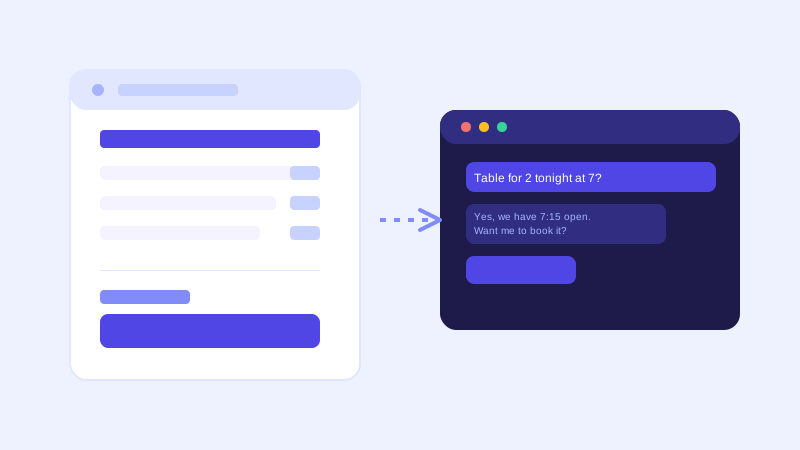
A diner scrolling a restaurant's website late on a Friday afternoon is usually deciding one of three things: whether to book a table, whether the menu has something they can actually eat, or what time the doors close tonight. A phone call answers all three, but only if someone picks up, and a restaurant mid-dinner-service rarely has a free hand for the phone. A chatbot built from the restaurant's own menu, hours, and reservation pages can answer instantly, at the exact moment a hungry visitor is deciding whether to book or move on to the next search result.
Why restaurant and hospitality questions cluster the same way
Despite the range from a quick-service counter to a full-service hotel restaurant, the questions guests ask are strikingly repetitive: are you open right now, do you take walk-ins or is a reservation required, does the menu have a vegetarian, vegan, or gluten-free option, what's the average price range, and is there parking or valet nearby. None of these require understanding a specific guest's night out. They require reading the menu page, the hours page, and the reservation page correctly, which is exactly the kind of question a crawl-based chatbot is built to answer.
Where a crawl-based chatbot fits naturally
Most restaurant and hospitality sites already have the raw material written down: a menu page with dishes, prices, and dietary tags, an hours and location page, a reservation or contact page, and often a private events or catering page for larger groups. A chatbot that crawls this content directly turns it into something a guest can ask about in plain language rather than scrolling through a PDF menu on a phone screen. Update a seasonal menu or change your holiday hours, and the next crawl picks it up, with no separate step to re-teach the bot about the change.
The part a one-time crawl gets wrong: availability and specials
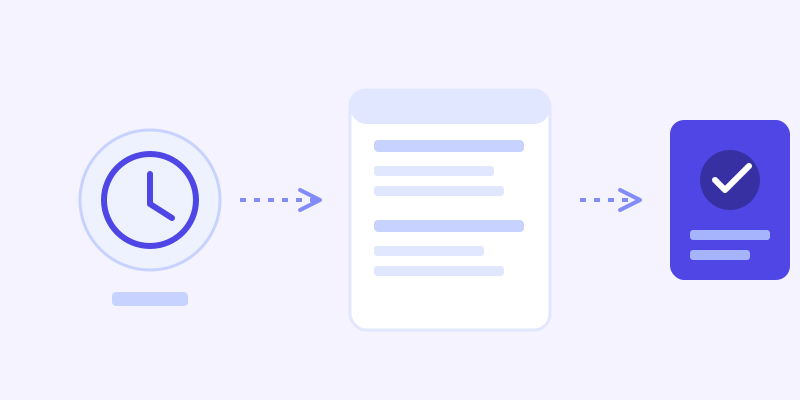
Restaurant content changes faster than almost any other kind of small business site. A kitchen can run out of a dish mid-service, a reservation book can fill up for a Saturday night within an hour of opening online booking, and a daily special exists for exactly one day before it's replaced by tomorrow's. A chatbot working from a stale snapshot will confidently tell a guest a dish is available when the kitchen ran out an hour ago, or that a table is open when the book actually filled up that morning. This is where a live re-check matters most: when a stored answer about availability or a special scores low confidence, the bot re-fetching the actual page before answering catches exactly this kind of drift, and folds the fresh detail back into its knowledge base so the next guest asking the same thing gets the current answer without another live check.
What this looks like across different kinds of venues
A quick-service or counter restaurant typically gets asked about hours, whether a specific item is available, and dietary tags like vegan or gluten-free, questions that are almost always answered on a well-built menu page already. A full-service restaurant taking reservations fields a narrower but higher-stakes set: whether a table is available for a given party size and time, and whether there's a dress code or a minimum spend for a private area, information that's usually on the reservation or private-dining page if it exists at all. A hotel or hospitality property deals with a wider mix, room availability, restaurant hours that differ from the front desk's, and amenities like a pool or a shuttle, spread across more pages than a standalone restaurant site, which makes consolidating that information onto pages a crawler can actually reach more important than for a single-location restaurant.
Getting your site ready before you connect a chatbot
A few checks make the biggest difference before the first crawl. Confirm the menu exists as readable text, not only as a photographed PDF or an image, since a crawler can't reliably read a scanned menu the way it reads a plain HTML page. Make sure dietary tags (vegetarian, vegan, gluten-free, nut-free) are actually written next to each dish rather than left to a server to explain in person. Keep hours current across every page that lists them, since a homepage and a contact page quietly drifting out of sync is one of the most common gaps a chatbot will surface immediately. And if reservations go through a third-party booking widget, make sure the page around that widget still states the basics in text, party size limits and whether walk-ins are accepted, so the bot has something to answer from even when it can't check live availability itself.
What to check once it's live
The unanswered-question log tends to surface real gaps fast for a restaurant site: a dietary question the menu never actually addresses beyond a general note, a private events question that's answered nowhere because the catering page was never written, or a guest asking about a specific dish by a name that doesn't match how it's listed on the current menu. Each of those is a small content fix, not a chatbot limitation, and each one closes a gap that was previously either a missed reservation or a guest who showed up expecting something the kitchen doesn't actually make anymore.
The actual payoff
The value for a restaurant or hospitality business isn't a chatbot that can discuss food philosophically. It's one that tells a guest at 4pm on a Friday whether tonight's fully booked, whether the risotto is vegetarian, and what time the kitchen actually closes, without anyone picking up a phone mid-service to answer it. For a business where a missed question often just means a guest books somewhere else instead of waiting for a callback, that's a meaningful edge, and it comes from the same menu and hours content the business already maintains for guests reading the site directly.
Frequently asked questions
Can an AI chatbot tell guests if a table is available right now?
Only if it's connected to a live reservation system, since table availability changes by the hour and isn't something a website crawl captures on its own. A well-built chatbot should be upfront about that distinction, answering informational questions like hours and menu items confidently from the site, while pointing time-sensitive booking questions to an actual reservation link rather than guessing.
Does a chatbot need to be trained separately for every dish?
No, not with a crawl-based chatbot. It reads the menu page directly, the same way it reads any other page, so a restaurant with dozens of dishes doesn't require a manual training entry for each one. Updating the menu and letting the next crawl run is enough for the bot to pick up the change.
How does a chatbot handle dietary restriction questions?
It answers from whatever dietary information is written as text next to each dish. If a menu only lists dishes by name with no dietary tags, the bot can't reliably infer them, so the fix is adding vegetarian, vegan, gluten-free, and allergen notes directly to the menu page rather than leaving that to be explained in person.
What should a restaurant check before turning on a chatbot?
Prioritize a menu that exists as plain text rather than a scanned image, dietary tags written next to each dish, hours that match across every page that lists them, and a reservation or contact page that states the basics even if actual booking happens through a separate widget.
Try it yourself
Crawl your menu and hours pages, get a chatbot that answers diners instantly →
Build my chatbotMore articles
 Guides
How to Add an AI Chatbot to Your Website Without Code (2026 Guide)
A step-by-step walkthrough for adding a real AI chatbot to your website in minutes, no flow builder and no code required, plus exact install steps for WordPress, Shopify, Wix, and Squarespace.
Read article → Product & AI
Why Your Website Chatbot Keeps Saying "I'm Not Sure" (And How to Fix It)
Most AI chatbots answer from a snapshot of your site taken whenever they were last trained. Here's why that causes constant "I'm not sure" replies, and what a chatbot that checks live instead actually looks like.
Read article →