AI Chatbots for Retail Stores: Answering Hours, Stock, and Return Questions Automatically
Updated October 20, 2026 · 7 min read
Retail is one of the few businesses where the same handful of questions get asked in person, over the phone, and through a website contact form, all in the same day, and all with the same answers. A shopper standing in the aisle asking a sales associate whether a jacket comes in another size is asking the same thing a visitor types into a website chat an hour later. Most of that volume has nothing to do with a transaction yet, it's a shopper trying to decide whether it's worth the trip at all.
A chatbot built from the store's own website content is a natural fit here, because the answers already exist somewhere, store hours, holiday schedules, return windows, whether a specific brand is carried, they just aren't always easy to find fast, and a phone call during a busy shift competes with everyone already in the store.
The questions retail stores get asked over and over
Ask any store manager what eats the most time at the register or on the phone and the list is short and repetitive: are you open right now, what are your holiday hours, do you carry a specific brand or size, is a sale still running, can an item bought online be returned in the store, and what's the actual return window on a receipt. None of these require a judgment call. They require someone to stop what they're doing and look something up or recite something they've already said a hundred times that week.
Why a flow-builder chatbot doesn't fit how people actually ask
A shopper doesn't ask "what is your return policy" the way a flow-builder bot expects. They ask "can I return this without a receipt" or "do I have longer to return something I got as a gift," and a chatbot built around a fixed set of pre-written intents either matches a narrow phrasing it was trained on or shrugs and hands off to a human. A chatbot that reads the store's actual return policy page answers from that content directly, regardless of which specific way the question was phrased, because it's matching what the question means, not a script.
What a crawl-based chatbot picks up automatically
Point the crawler at a retail site and it typically picks up store hours and holiday exceptions, the brands and categories actually carried, return and exchange policies, loyalty program details, and whether online orders can be picked up or returned in a physical location, all without anyone re-typing any of it into a separate training tool. If that information already exists on the website in plain text, which most stores already publish somewhere, the chatbot can answer from it on day one.
Flat per-plan pricing matters more here than it looks at first. Retail chat volume spikes hard and predictably, around holiday shopping weeks, the first days of a seasonal sale, and the run-up to a return deadline after a big gift-giving period. A chatbot billed per message turns the exact weeks a store needs it working well into the most expensive weeks to run it.
Where live-fallback matters most for this use case
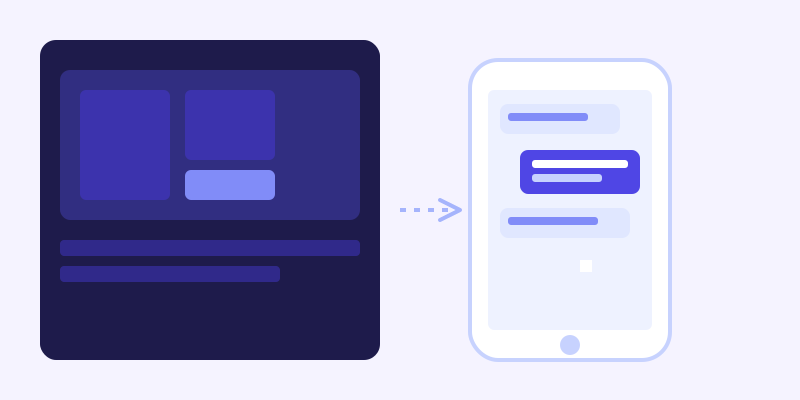
Stock and sale status are the two things that change fastest on a retail site, sometimes within the same afternoon. A scheduled weekly crawl won't always catch a sold-out size or a sale that ended yesterday. Live-fallback is what closes that specific gap: when a visitor asks something the stored knowledge base can't confidently answer, the chatbot re-fetches the closest matching page live, right then, answers from what it just found, and folds that fresh content back into the knowledge base. The next shopper asking the same thing gets a confident, already-stored answer with no extra live check needed.
Setting it up without disrupting the floor
There's no flow to build and nothing to train staff on. Point the crawler at the store's website, including the hours, policy, and FAQ pages, and let it build the knowledge base from what's already published. The one thing worth checking before launch is whether the real, current return window and holiday hours are actually written out somewhere on the site in plain text, rather than only posted on a sign taped to the front door. A chatbot can only answer from what it can reach, and a policy that exists only on a physical sign in the store is invisible to it.
Once it's live, the embed is a single script tag, so it sits on the main site the same way for a single-location shop or a small chain with a handful of storefronts, without a separate setup for each location's page.
What to measure after launch
The unanswered-questions log is worth checking weekly in the first month, not just once. A retail site's content changes with the season, and whatever a bot can't confidently answer tends to shift from "do you carry this brand" in one season to "what are your holiday hours" a few months later. Treat that log as a running list of what to add or clarify on the site itself, not just a gap for the chatbot to eventually work around.
Frequently asked questions
Can an AI chatbot tell customers whether an item is in stock right now?
It answers based on what's published on your site, refreshed through scheduled crawls and live-fallback, so it's only as current as what the website itself says about stock. For items that turn over multiple times a day, that will always lag slightly behind the exact register count, but it closes the gap far faster than a chatbot trained once and never revisited.
Does an AI chatbot replace sales associates on the floor?
No. It handles the repetitive lookup questions, hours, policies, whether a brand is carried, so staff spend less time reciting the same answers and more time on the conversations that actually need a person, like fit, styling, or a complicated return.
What happens if a return policy is different online than it is in the store?
The chatbot answers whatever is actually published on the relevant page, so if the two policies genuinely differ, make sure the site states that distinction clearly. The bot can only reflect what's written; it can't infer an unwritten exception on its own.
Will it work for a retail business with more than one location?
Yes, as long as each location's hours and details are published somewhere on the site, whether that's a dedicated page per location or a single page listing all of them. The crawler reads whatever structure the site already uses.
More articles
 Guides
How to Add an AI Chatbot to Your Website Without Code (2026 Guide)
A step-by-step walkthrough for adding a real AI chatbot to your website in minutes, no flow builder and no code required, plus exact install steps for WordPress, Shopify, Wix, and Squarespace.
Read article → Product & AI
Why Your Website Chatbot Keeps Saying "I'm Not Sure" (And How to Fix It)
Most AI chatbots answer from a snapshot of your site taken whenever they were last trained. Here's why that causes constant "I'm not sure" replies, and what a chatbot that checks live instead actually looks like.
Read article →