AI Chatbots for SaaS Websites: Answering Feature, Billing, and Trial Questions Automatically
Updated August 6, 2026 · 7 min read
A SaaS website carries more surface area than most businesses realize: a marketing homepage, a pricing page with several tiers, a docs section, a changelog, maybe a status page. A visitor deciding whether to sign up, or an existing customer trying to figure out if their plan includes something, is being asked to search across all of it themselves. Most don't. They open the chat widget instead, or they email support, or they just leave and try a competitor with a clearer answer.
Why SaaS support questions cluster the same way
Despite how different SaaS products are from each other, the pre-sale and early-account questions are strikingly repetitive: does this plan include a specific feature, what happens to my data if I downgrade, how does the free trial actually end, is there an API and what does it cost to use, and what's the difference between two adjacent pricing tiers. None of these require understanding a customer's specific account. They require reading the pricing page and the docs correctly, which is exactly the kind of question a crawl-based chatbot is built to answer.
Where a crawl-based chatbot fits naturally for SaaS
A SaaS product usually already has the raw material written down somewhere: a pricing page listing what each tier includes, a docs site explaining setup and API usage, a changelog describing what shipped recently, and a features or comparison page describing what the product does. A chatbot that crawls this directly turns all of it into something a visitor can ask about in plain language, rather than needing to know which of five docs pages actually covers rate limits or SSO. Update a docs page or ship a new plan, and the next crawl picks it up, with no separate step to re-teach the bot about the change.
The part a one-time crawl gets wrong: plan changes and billing edge cases
Pricing tiers and feature availability change more often in SaaS than in most other industries, sometimes every few weeks during active development. A chatbot working from a stale snapshot can tell a visitor a feature isn't available on a plan it was just added to, or quote a price that changed last sprint. Billing questions are especially unforgiving here, since a wrong answer about proration, trial length, or cancellation terms can turn into a support escalation or a chargeback dispute rather than just an annoyed visitor. This is where a live re-check matters: when a stored answer about a plan or price scores low confidence, the bot re-fetching the actual pricing page before answering catches exactly this kind of drift, and folds the fresh content back into its knowledge base so the next visitor gets the current answer immediately.
What this looks like across different kinds of SaaS products
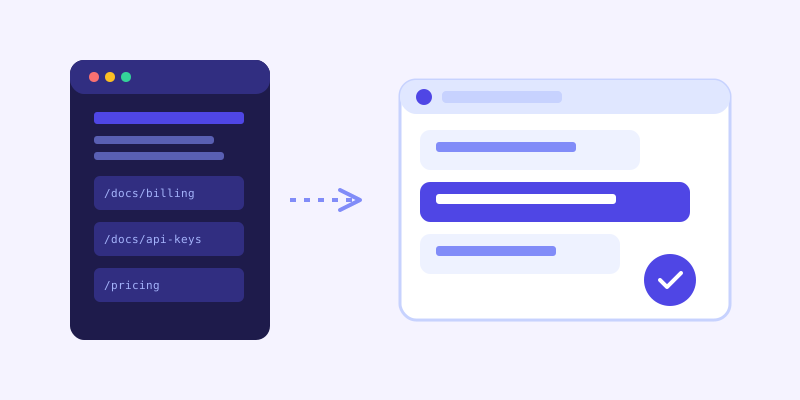
A developer tool typically gets asked about API rate limits, authentication methods, and SDK support, questions that are almost always answered somewhere in the docs already, just spread across multiple pages a visitor won't dig through on their own. A vertical software product (built for a specific industry like real estate or healthcare) tends to get asked whether it handles a specific workflow or integrates with a tool the buyer already uses, which a features or integrations page usually covers directly. A workflow or productivity tool gets asked mostly about plan limits: seats, storage, export options, and what happens when a limit is hit, information that's almost always on the pricing page but rarely read closely before someone asks.
Getting your product site and docs ready before you connect a chatbot
A few checks make the biggest difference before the first crawl. Confirm your pricing page states what's actually included per tier in plain text, not just a checkmark grid with no explanation. Make sure feature availability by plan is written somewhere a crawler can read, not only communicated through in-app upgrade prompts a website crawl never sees. Keep your docs organized so each topic has one current page rather than an old version lingering alongside a newer one. And write your trial and cancellation terms out directly instead of only linking to a general terms-of-service document, since that's usually too long and too legal for a chatbot to extract a clear answer from.
What to check once it's live
The unanswered-question log tends to surface real product-communication gaps fast for a SaaS site: a feature that exists but isn't mentioned on the pricing page, an integration that's supported but buried in a changelog entry from months ago, or billing terms that are technically documented somewhere but never in the place a visitor actually looked. Each of those is a content fix on your own site, not a chatbot limitation, and fixing it usually helps human visitors reading the page directly too, not just the bot.
The actual payoff
The value isn't a chatbot that can discuss your product philosophically. It's one that reliably answers "does the Pro plan include SSO" or "what happens to my data after I cancel" correctly, at any hour, without a support ticket queue building up around questions the product already answers on its own website. For a SaaS company, that's a meaningful share of pre-sale hesitation and early-account confusion resolved before it ever reaches a human, simply by making sure the bot reads the same pages a careful visitor would have read anyway.
Frequently asked questions
Can an AI chatbot answer questions about specific pricing tiers and feature availability?
Yes, as long as that information is written clearly on your pricing or features pages. A crawl-based chatbot reads those pages directly, so it can answer what's included in each plan the same way a visitor reading the page carefully would, without needing a separate manual setup for each tier.
How does a chatbot stay accurate when SaaS pricing and features change often?
By re-crawling on a schedule and, more importantly, by checking the live page again when a stored answer about pricing or a feature scores low confidence. That live re-check catches recent changes a scheduled crawl might not have picked up yet, and updates the stored knowledge base so future visitors get the current answer right away.
Should a SaaS chatbot answer billing and cancellation questions?
It can, as long as your trial length, proration rules, and cancellation terms are written out clearly on an accessible page rather than only buried in a lengthy terms-of-service document. Billing questions carry more risk if answered wrong, so it's worth double-checking the bot's answers against your actual policy before relying on it fully for that category.
Does a chatbot need access to my docs site, or just my marketing pages?
Both help, but docs matter more than most SaaS teams expect. A large share of pre-sale and early-account questions, like API limits, integrations, or setup steps, are already answered in documentation, and a chatbot that can read those pages directly saves visitors from having to search the docs themselves.
Try it yourself
Crawl your docs and pricing pages, get a chatbot that actually knows your product →
Build my chatbotMore articles
 Guides
How to Add an AI Chatbot to Your Website Without Code (2026 Guide)
A step-by-step walkthrough for adding a real AI chatbot to your website in minutes, no flow builder and no code required, plus exact install steps for WordPress, Shopify, Wix, and Squarespace.
Read article → Product & AI
Why Your Website Chatbot Keeps Saying "I'm Not Sure" (And How to Fix It)
Most AI chatbots answer from a snapshot of your site taken whenever they were last trained. Here's why that causes constant "I'm not sure" replies, and what a chatbot that checks live instead actually looks like.
Read article →