AI Chatbots for Service Businesses: Answering Booking, Hours, and Pricing Questions Automatically
Updated August 3, 2026 · 7 min read
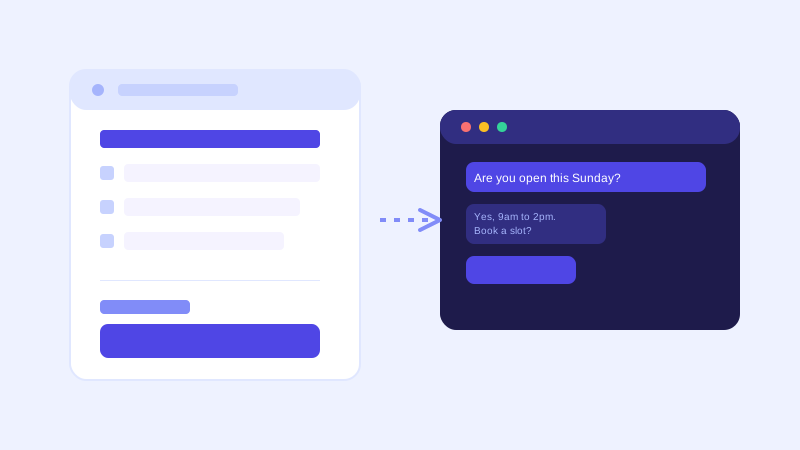
A salon, a dental clinic, a landscaping company, and a law firm have almost nothing in common as businesses, but their front desks answer nearly identical questions all day: are you open right now, how much does this cost, do you serve my area, and can I book a time. None of these questions are complicated. They're just repetitive, and repetitive is expensive when a real person has to type the same answer every time it comes in by phone, text, or web chat.
Why service businesses have a narrower, more answerable question set
Unlike an online store with hundreds of products, most service businesses have a fairly small, stable set of things customers actually ask about: hours, service area, pricing or estimate ranges, what's included in a given service, how to book, and cancellation or rescheduling policy. That narrowness is an advantage. It means a chatbot doesn't need to understand a sprawling catalog, it needs to answer the same six or seven categories of question well, consistently, at any hour a website visitor happens to be looking.
Where a crawl-based chatbot fits naturally
A chatbot that reads your website directly, rather than requiring you to hand-write a script of questions and answers, fits this pattern well because most service businesses already have the raw material sitting on their site: a services page listing what's offered and roughly what it costs, an hours and location page, a service-area or coverage page, and a booking or contact page describing how scheduling works. Point the crawler at the site, and the same content that was written for human visitors becomes what the bot answers from, with no separate training step and no need to keep a second copy of your hours or pricing in sync somewhere else.
The scheduling problem a one-time crawl doesn't solve
Hours and pricing are relatively stable, but availability is not. A landscaping company fully booked for two weeks, a clinic with a same-day cancellation, a salon that just opened up a slot, none of that lives on a static page a crawler reads once and remembers. This is exactly the situation where a live check matters: when a visitor asks something time-sensitive, like whether a specific day is available, the bot's stored knowledge base is the wrong source to answer from confidently, because availability changes by the hour, not by the crawl schedule. A chatbot that recognizes this and either checks a connected booking system or is honest that it can't confirm real-time availability, then routes to an actual booking link, avoids the worst outcome: telling a customer something is available when it isn't.
What this looks like for a few different business types
A contractor or home services business typically gets asked about service area, ballpark pricing for common jobs, and how quickly they can come out. A chatbot built from the site can answer the first two confidently if they're written down clearly, and should be upfront that exact timing depends on current job load rather than guessing a date. A clinic or salon gets asked about hours, whether a specific service is offered, and what a new-patient or new-client visit involves. This tends to be well-documented on a typical site already, so the bot mostly needs that content to actually exist in plain text. A law firm or consultancy gets asked what areas of practice they cover and how consultations work, questions that are almost entirely informational rather than time-sensitive, making them a particularly strong fit for a crawl-based answer with no live check needed at all.
Getting your site ready before you connect a chatbot
The setup work is mostly the same regardless of industry: write your service area in plain terms rather than assuming it's obvious from your business name or city, state actual price ranges or starting prices instead of "contact us for a quote" wherever you're comfortable doing so, keep one current hours page rather than one on the homepage and a different one on a contact page that quietly drifted out of sync, and make sure your booking or scheduling link is easy to point a chatbot toward as the next step once it's answered the informational part of the question.
What to check once it's live
The unanswered-question log tells you fast whether your site actually covers what customers ask. For a service business, common gaps are pricing questions the site dodges with a contact form instead of a number, a service area that's implied by an address but never spelled out, or a specific service customers ask about by a different name than the one used on the page. Each of those is a small content fix, not a chatbot problem, and each one closes a gap that was previously costing a phone call or a walked-away visitor.
The actual payoff
The value for a service business isn't answering exotic questions well. It's answering the same six ordinary questions correctly, at 11pm on a Saturday, without anyone on staff typing a reply. That's a low bar in theory and a real gap in practice, since most service business websites still send every question to a contact form or a phone line that only picks up during business hours, which is exactly when a visitor deciding whether to book has already moved on to a competitor's site instead.
Frequently asked questions
Can an AI chatbot tell customers real-time appointment availability?
Only if it's connected to a live booking system, since availability changes constantly and isn't something a website crawl captures. A well-built chatbot should be upfront about that distinction, answering informational questions like hours and pricing confidently from the site, while pointing time-sensitive booking questions to an actual scheduling link rather than guessing.
Do I need to write a script of questions and answers for my service business chatbot?
No, not with a crawl-based chatbot. It reads your existing services, hours, pricing, and service-area pages the same way a visitor would, so the content you've already written becomes what it answers from. You only need a manual script for information that genuinely isn't written anywhere on your site yet.
What questions do most service business chatbots get asked?
Overwhelmingly the same small set: current hours, whether a specific service is offered, rough pricing, service area or coverage, and how to book. The set is narrower than most other industries, which is part of why a chatbot built from existing site content tends to work well for service businesses specifically.
How should a service business handle pricing on a chatbot if prices vary by job?
State a realistic starting price or typical range wherever possible rather than deflecting every pricing question to a contact form. A chatbot can then be clear that the number is an estimate and that a final price depends on specifics, which still gives a visitor useful information instead of no information at all.
More articles
 Guides
How to Add an AI Chatbot to Your Website Without Code (2026 Guide)
A step-by-step walkthrough for adding a real AI chatbot to your website in minutes, no flow builder and no code required, plus exact install steps for WordPress, Shopify, Wix, and Squarespace.
Read article → Product & AI
Why Your Website Chatbot Keeps Saying "I'm Not Sure" (And How to Fix It)
Most AI chatbots answer from a snapshot of your site taken whenever they were last trained. Here's why that causes constant "I'm not sure" replies, and what a chatbot that checks live instead actually looks like.
Read article →