AI Chatbots for Wedding and Event Venues: Answering Availability, Capacity, and Vendor Policy Questions Automatically
Updated September 28, 2026 · 8 min read
A couple planning a wedding, or a company planning a conference, rarely calls the first venue on their list. They open eight or ten tabs, skim each site for the same handful of facts, capacity, pricing, available dates, whether outside catering is allowed, and quietly rank venues by how fast and clearly those questions get answered. A site that makes them dig through a PDF brochure or wait two days for an email reply often gets crossed off the list before anyone from the venue ever speaks to them.
Why venue inquiries are so repetitive and so high stakes
Ask any venue coordinator what fills their inbox and the list is short: how many guests can this space hold, what dates are open in a given season, does the rental fee include tables and chairs, can we bring our own caterer or alcohol, and what's the deposit to hold a date. None of these questions are complicated on their own. What makes them costly is volume and timing. A couple comparing venues on a Tuesday night wants an answer that night, not a callback during business hours three days later, and a slow reply doesn't just delay a booking, it often loses it entirely to whichever venue answered first.
Where a crawl-based chatbot fits naturally
Most venues already publish the core facts somewhere on their site: a capacity chart broken out by layout (seated, cocktail-style, ceremony versus reception), a pricing page listing what's included at each tier, and a policies page covering vendor rules, deposits, and cancellation terms. A chatbot that crawls this content directly can answer a specific question in plain language, in the exact moment someone is deciding whether to fill out an inquiry form, instead of leaving them to guess or bounce to a competitor's site. Update the pricing sheet for next season and the next crawl picks it up automatically, no separate retraining step.
The part a one-time crawl gets wrong: dates and current terms
Availability is the one thing a static crawl can never fully capture, since a calendar changes by the day and most venues don't publish a live booking grid on their public site. What a well-built chatbot can do instead is answer honestly about what it knows, point clearly to an inquiry form or calendar link for date-specific questions, and stay accurate on everything that is written down, like pricing tiers or vendor policy, even when those pages get updated mid-season. That's where a live re-check matters most: when a stored answer about pricing or a policy scores too low to confidently answer, the bot re-fetches the actual page before responding, catching a change the last crawl missed, such as a new minimum guest count or an updated catering policy, then folding that fresh detail back into the knowledge base so the next visitor asking the same thing gets a confident answer without triggering another live fetch.
What this looks like across different kinds of venues
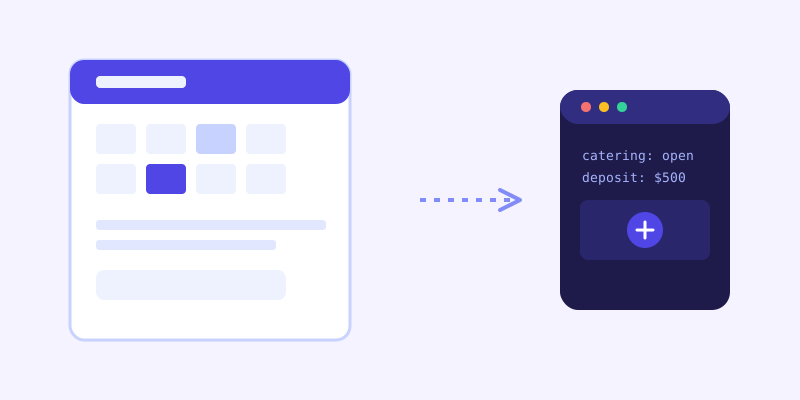
A wedding venue fields a heavy mix of capacity, package pricing, and vendor questions, particularly around whether outside catering, alcohol service, or a specific photographer contract is allowed, details couples want settled before they fall in love with a space they can't actually use the way they planned. A corporate event or conference space gets more logistical questions: AV equipment included, parking capacity, whether the room can be split into breakout sections, and catering minimums. A banquet hall or multi-purpose event space often juggles both audiences at once, and benefits most from a chatbot that can tell the difference between a wedding inquiry and a corporate one based on the words the visitor actually uses.
Getting your site ready before you connect a chatbot
A few fixes make the biggest difference before the first crawl. List actual capacity numbers by layout type rather than a single vague figure, since "up to 200 guests" means something different for a seated dinner than a standing reception. Spell out vendor policy in plain text, especially catering, alcohol, and outside decor rules, rather than leaving it for a phone call, since this is one of the most common reasons an inquiry stalls. State the deposit amount and what it takes to actually hold a date, and if pricing changes by season or day of week, say so directly instead of hiding it behind "contact for a quote."
What to check once it's live
The unanswered-question log tends to surface real gaps fast for a venue: someone asking about a rain plan for an outdoor ceremony space the site never mentions, a question about whether pets are allowed on-site, or confusion about what happens to the deposit if a date gets rescheduled. Each of those is a small content fix, not a chatbot limitation, and closing it turns a stalled inquiry into a completed one instead of a lead that quietly moved to the next tab.
The actual payoff
The value isn't a chatbot that can describe what a wedding feels like. It's one that tells a couple at 9pm exactly what the venue holds, what's included at each price tier, and whether their caterer is allowed in the building, without anyone on staff answering a phone after hours. For a purchase this large and this comparison-shopped, being the venue that actually answered the question on the spot is often the whole reason the inquiry form gets filled out at all.
Frequently asked questions
Can an AI chatbot tell a couple whether their exact wedding date is available?
Only if that information lives somewhere the crawler can reach, such as a live booking calendar embedded on the site. Most venues manage availability privately, so the safer and more common setup has the chatbot answer pricing, capacity, and policy questions confidently, then direct date-specific questions straight to an inquiry form or booking calendar rather than guessing.
How does a chatbot handle vendor policies that differ between weddings and corporate events?
It answers from whatever the site's policy pages actually say, so if catering, alcohol, or vendor rules differ by event type, writing that distinction clearly on the page is what lets the chatbot repeat the correct policy for the specific inquiry instead of giving one generic answer that's wrong half the time.
What happens if our pricing or package details change mid-season?
Update the pricing page and the next scheduled crawl picks up the change automatically. If a visitor asks about pricing before that next crawl runs, a live-fallback check re-reads the current page in real time when the stored answer looks uncertain, so the reply still reflects what's actually posted rather than an outdated number.
Will the chatbot pressure visitors into booking, or just answer questions?
A well-built venue chatbot sticks to answering what's actually asked, capacity, pricing, policies, and how to start an inquiry, rather than pushing a sales script. That restraint matters here specifically, since couples and planners comparing venues respond better to a clear, honest answer than to a bot that feels like it's trying to close a sale before they've even toured the space.
Try it yourself
Crawl your venue's pages, get a chatbot that answers inquiries instantly →
Build my chatbotMore articles
 Guides
How to Add an AI Chatbot to Your Website Without Code (2026 Guide)
A step-by-step walkthrough for adding a real AI chatbot to your website in minutes, no flow builder and no code required, plus exact install steps for WordPress, Shopify, Wix, and Squarespace.
Read article → Product & AI
Why Your Website Chatbot Keeps Saying "I'm Not Sure" (And How to Fix It)
Most AI chatbots answer from a snapshot of your site taken whenever they were last trained. Here's why that causes constant "I'm not sure" replies, and what a chatbot that checks live instead actually looks like.
Read article →