What to Do With Your AI Chatbot's Unanswered Questions List
Updated September 28, 2026 · 7 min read
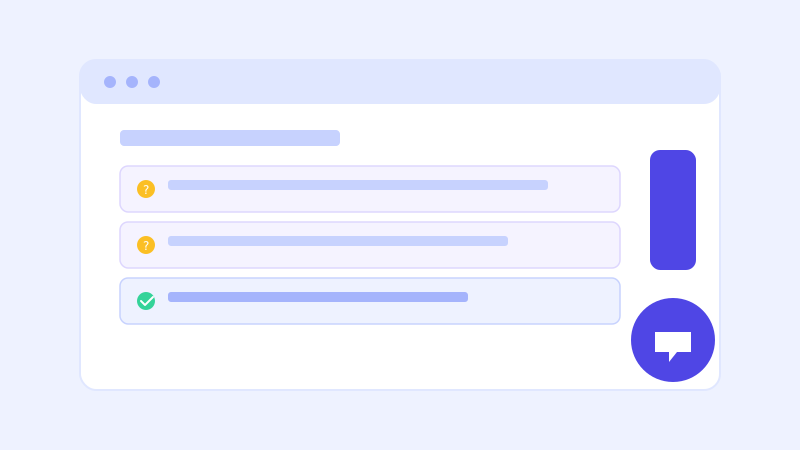
Most businesses set up a chatbot, watch it answer a handful of questions correctly, and stop paying attention. That's understandable, the bot is working, so why keep checking on it? But every chatbot built on a knowledge base also keeps a quieter record: the questions it couldn't confidently answer. That list, sitting unread in most dashboards, is often more valuable than the chatbot itself.
Why this list exists in the first place
A chatbot built from your website's content can only answer what your website actually says. When a visitor asks something the crawl never captured, maybe a question about a policy that's never been written down, a product detail buried in a PDF, or something genuinely new that came up for the first time, the bot either gives a hedged answer or, with a live-fallback setup, re-checks the closest matching page before admitting it doesn't know. Either way, that question gets logged. It's not a failure log. It's a running list of exactly what your visitors want to know that your site currently doesn't say clearly enough.
Why most people never check it
The honest reason is that it takes effort to feel like it pays off immediately. A pricing dashboard or lead count is satisfying to glance at; a list of raw, sometimes oddly phrased customer questions is not, especially early on when there might only be a handful of entries. But that's exactly the wrong time to ignore it. In the first few weeks after launch, the unanswered list surfaces the biggest, most obvious gaps in your site, the ones costing you the most visitors before you've had a chance to fix a single one.
What a good unanswered-questions review actually looks like
Set a recurring ten-minute check, weekly is usually enough for a small business site, and read through the list with one question in mind: is this something my site should already answer? Most entries sort into a few buckets fast. Some are genuinely missing content, a shipping policy that was never written down, a service you offer but never listed. Some are phrased oddly but point at something you do cover, a sign the content exists but isn't written the way customers actually ask about it. And a few will be edge cases or one-off questions not worth building a whole page around. The useful skill isn't reading every entry closely, it's sorting quickly and acting on the pattern, not the individual question.
Turning a pattern into a fix
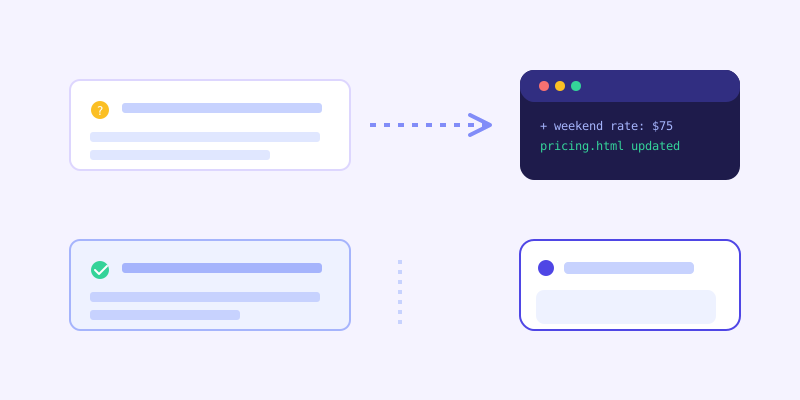
The highest-value fixes are almost always the ones that repeat. If three different visitors in a week ask some version of the same question, that's not noise, that's a page your site is missing or a paragraph that needs to be clearer. Add the answer directly to the relevant page rather than burying it in an FAQ nobody scrolls to, since the next crawl will pick it up and the bot can answer it directly going forward. This is also where a live-fallback setup compounds the benefit: even before you manually fix the page, a bot that re-checks live content when it's unsure can sometimes resolve the question on the spot if the answer already exists somewhere the last crawl missed, and folds that content back into its knowledge base automatically so the fix effectively happens without you touching anything.
A quick example of what this looks like in practice
Say a home services company launches a chatbot and, in its first two weeks, sees six separate visitors ask some version of "do you charge extra for weekend appointments." The site's pricing page never mentions weekend rates at all, so the bot has nothing to point to and either hedges or, with a live check, confirms there's genuinely no page addressing it. That's not a chatbot problem to debug. It's a five-minute fix: add one line to the pricing page stating the weekend policy clearly, one way or the other. The next crawl picks it up, the question stops appearing on the unanswered list, and every visitor asking it from then on gets a confident answer instead of a guess or a phone call. Multiply that across a dozen small gaps over a few months and the site itself ends up more complete, not just the chatbot.
The mistake to avoid: treating every entry as urgent
Not everything on the list deserves a content change. A single strange or off-topic question, a competitor's name, a test message from someone poking at the bot, isn't worth chasing. Trying to make the chatbot handle every possible input leads to bloated, defensive content that answers hypothetical questions nobody actually asks in practice. The goal is closing real, recurring gaps, not achieving a perfect score on a list that will never hit zero.
Why this beats guessing what your site is missing
Most businesses write website content based on what they assume visitors want to know, informed by experience but still a guess. An unanswered-questions list replaces that guess with an actual record of what people typed, in their own words, at the exact moment they were deciding whether to become a customer. Reviewing it regularly turns your chatbot from a static tool you set up once into a live feedback loop that keeps pointing you at the next highest-value thing to fix on your own site.
Frequently asked questions
How often should I check my chatbot's unanswered questions list?
Weekly is a reasonable starting cadence for most small business sites, enough to catch a repeating pattern without turning it into a daily chore. Right after launch, checking more often can help since the biggest content gaps tend to surface fastest in the first few weeks.
Should I try to fix every question that shows up on the list?
No. Focus on questions that repeat or point at a real, missing piece of content. One-off or off-topic entries aren't worth chasing, since the goal is closing genuine gaps in your site, not making the bot handle every possible input a visitor could type.
Does a live-fallback chatbot still log a question if it eventually answers it?
That depends on whether the live re-check actually resolved the question. If the bot found a confident answer by re-fetching the closest matching page, that's a success, not a gap, and it also updates the knowledge base so future visitors get the same answer immediately. The list is most useful for questions where even the live check came up short, since those point at content that genuinely doesn't exist yet anywhere on the site.
What's the fastest way to act on a recurring unanswered question?
Add the answer directly to the page where a visitor would naturally look for it, rather than a separate FAQ section that gets less traffic, then let the next scheduled crawl pick up the change. That keeps the fix in the same place a human visitor would also find useful, instead of only patching the chatbot's knowledge in isolation.
More articles
 Guides
How to Add an AI Chatbot to Your Website Without Code (2026 Guide)
A step-by-step walkthrough for adding a real AI chatbot to your website in minutes, no flow builder and no code required, plus exact install steps for WordPress, Shopify, Wix, and Squarespace.
Read article → Product & AI
Why Your Website Chatbot Keeps Saying "I'm Not Sure" (And How to Fix It)
Most AI chatbots answer from a snapshot of your site taken whenever they were last trained. Here's why that causes constant "I'm not sure" replies, and what a chatbot that checks live instead actually looks like.
Read article →