Can You Change Your AI Chatbot's Tone and Personality? What's Actually Adjustable
Updated November 2, 2026 · 7 min read
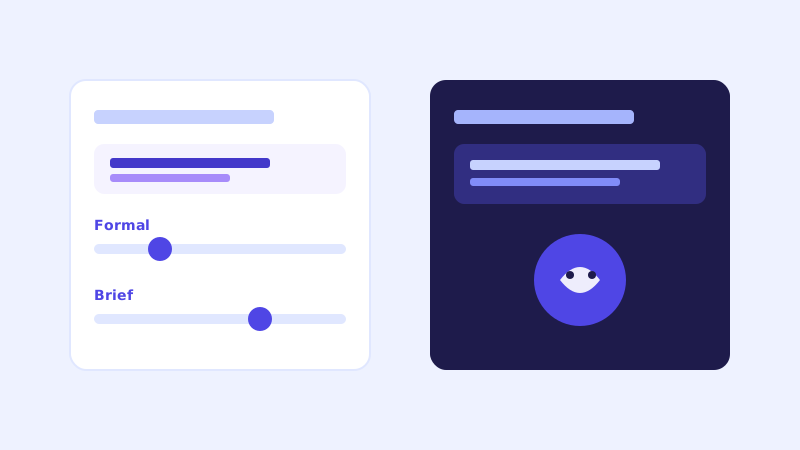
Visual branding, an accent color, a logo, a widget name, is the customization most businesses think about first, and it's an easy thing to get right in a few minutes. Tone is a separate question entirely: how formal the bot sounds, how long its answers run, whether it uses contractions and the occasional bit of warmth or stays strictly businesslike. It's less visible than color choices, but it affects every single reply the bot gives, not just the first impression.
Why tone is a different lever than visual branding
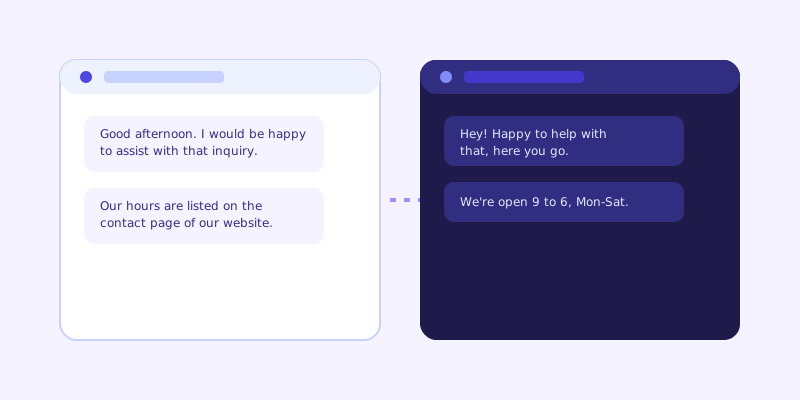
Changing a widget's accent color changes how it looks before anyone types a word. Tone changes how it reads after they do, in every answer, for every visitor, for as long as the bot is live. A law firm and a kids' birthday party venue shouldn't sound the same answering an identical question about hours, even if their widgets both happen to be purple. Getting the visual branding right and leaving the tone on a generic default is a common gap, the bot looks like it belongs on the site, but reads like it belongs on someone else's.
What's genuinely adjustable
A reasonable tone setting usually lets you choose somewhere between formal and conversational, control roughly how long answers run (a quick one-liner versus a fuller explanation), and decide whether the bot uses the business's own name and specific phrasing or more generic language. Some tools let you set this with a simple description, "friendly and brief" or "professional and detailed", rather than a long configuration form, and apply it consistently across every answer the bot gives.
What stays grounded no matter the tone setting
Tone changes how an answer sounds, not what it says. A bot set to a warmer, more casual tone shouldn't suddenly start guessing at information that isn't on your site, and a bot set to a formal tone shouldn't drop the specifics that make an answer useful. The content of the answer comes from your actual website content either way, grounding and tone are separate systems, and a well-built chatbot keeps them that way so a style preference never turns into a made-up answer.
Where your existing site content already sets the tone
Because a crawl-based chatbot answers from your website's own wording, it often picks up a reasonable amount of your voice automatically, if your site already writes casually, the bot's answers tend to lean that way too, since it's pulling phrasing and structure from the same source. A dedicated tone setting matters most when you want the delivery to diverge from how your site happens to be written, more playful than your formal product pages, or more concise than your detailed FAQ section tends to be.
Getting the reading level right matters more than picking a personality
Before worrying about whether the bot sounds witty or warm, check whether its answers are the right length and reading level for your actual visitors. A dental practice answering insurance questions needs clear, complete sentences a nervous patient can follow on a first read, not a punchy one-liner. A SaaS product answering a quick feature question benefits from brevity, since a developer skimming a chat widget wants the answer, not the preamble. Tone follows from that decision more than from picking a personality label.
A sensible default, and when to touch it
Most businesses do fine leaving the default tone alone, it's built to be clear and reasonably warm without tipping into either extreme. It's worth adjusting when your brand voice is distinctly different from a generic default, a playful consumer brand, a strictly formal professional services firm, or when you've noticed in transcripts that the bot's answers read as oddly stiff or oddly casual against the rest of your site. Treat it the same way you'd treat any other small brand decision: check it once after launch, adjust if something feels off, and leave it alone once it reads right.
Frequently asked questions
Is chatbot tone the same thing as widget branding?
No. Widget branding covers visual elements like accent color, logo, and widget name, and is set once before launch. Tone covers how the bot actually writes its answers, formal or casual, brief or detailed, and affects every reply it gives for as long as it's live.
Does changing the tone setting risk making the chatbot less accurate?
No, if it's built correctly. Tone controls delivery style only, formality and length, while the actual content of an answer still comes from grounded website content. A well-built chatbot keeps those two systems separate so adjusting tone never introduces made-up information.
Will my chatbot automatically sound like my brand without any tone settings?
To some degree, yes, since a crawl-based chatbot answers using phrasing and structure pulled from your own site content. A dedicated tone setting matters most when you want the bot's delivery to diverge noticeably from how your existing pages happen to be written.
Should I prioritize tone or answer length when customizing my chatbot?
Answer length and reading level usually matter more to visitors than personality. Get the length right for your audience first, brief for quick lookups, fuller for anything that needs context like insurance or policy questions, then adjust tone from there if your brand voice still feels off.
More articles
 Guides
How to Add an AI Chatbot to Your Website Without Code (2026 Guide)
A step-by-step walkthrough for adding a real AI chatbot to your website in minutes, no flow builder and no code required, plus exact install steps for WordPress, Shopify, Wix, and Squarespace.
Read article → Product & AI
Why Your Website Chatbot Keeps Saying "I'm Not Sure" (And How to Fix It)
Most AI chatbots answer from a snapshot of your site taken whenever they were last trained. Here's why that causes constant "I'm not sure" replies, and what a chatbot that checks live instead actually looks like.
Read article →