Does an AI Chatbot Widget Slow Down Your Website? What Actually Affects Page Speed
Updated September 14, 2026 · 6 min read
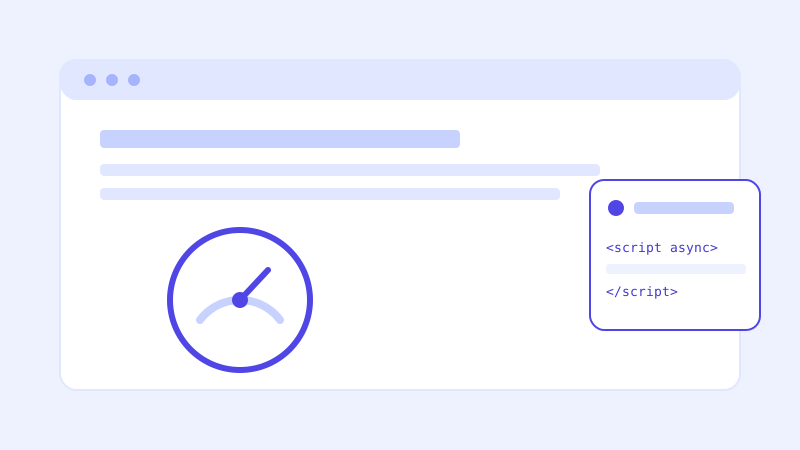
"Will this slow my site down" is one of the first questions anyone with a fast, well-tuned website asks before pasting in a third-party script, and it's a fair one. A lot of embedded widgets, chat tools included, have earned that skepticism honestly, loading render-blocking scripts, pulling in megabytes of dependencies, or shifting layout around after the page already looked finished. None of that is inherent to a chat widget. It's a result of how a specific one was built.
What actually loads when you add a chat widget
A well-built chatbot embed is a single small script tag, and the script itself does very little at page-load time: it registers a small bubble icon in a corner of the screen and waits. The much larger pieces, the chat interface, the conversation history, the actual knowledge base lookup, only load when a visitor clicks the bubble to open it. This is the same lazy-loading pattern used for most modern embedded widgets, and it means the cost to a page that nobody interacts with the chatbot on is close to nothing: one small file, fetched in a way that doesn't block anything else from rendering.
The two metrics that actually matter
Page speed isn't one number, and a chatbot widget affects two specific ones differently. The first is initial load performance, how fast the page becomes visible and usable, measured by things like Largest Contentful Paint. A properly loaded chat script, fetched asynchronously and placed so it doesn't block the rest of the page, should have close to zero measurable effect here, since the browser renders your actual page content without waiting on it. The second is interaction responsiveness, what happens the moment a visitor actually opens the chat window and starts a conversation. This is where the real cost lives, and it's a reasonable cost: a response takes a moment to generate because it involves an actual lookup against your site's content, not a slowdown of your page.
What a well-built widget script does differently
A few concrete choices separate a chat widget that's invisible to page speed from one that isn't. Loading the script asynchronously (or deferred), so the browser doesn't pause rendering the rest of the page to fetch and execute it. Keeping the initial script small and pulling in the heavier chat interface only on click, rather than shipping the whole thing upfront to every visitor whether they use it or not. Reserving space for the chat bubble so it doesn't cause a layout shift once it appears, the kind of jump that hurts a Cumulative Layout Shift score even when the total page weight barely changes. None of these are exotic engineering, but they're also not automatic, which is exactly why the same category of tool can score very differently from one vendor to the next.
The tradeoffs that are still real
None of this means a chat widget is entirely free. One additional network request happens regardless, even if it's small and asynchronous, and on an already very lean site, a strict performance budget might genuinely register it. Opening the chat window does pull in more code than having it closed, since an actual interface has to render. And a chatbot that generates a response is doing real work, retrieving content and generating an answer, which takes a moment the way any similar lookup would. These are reasonable costs for the feature working as intended. What's worth watching for is a vendor's script doing more than that: pulling in unrelated analytics, loading synchronously, or shipping the full chat interface to every visitor whether they open it or not.
How to check your own site after installing one
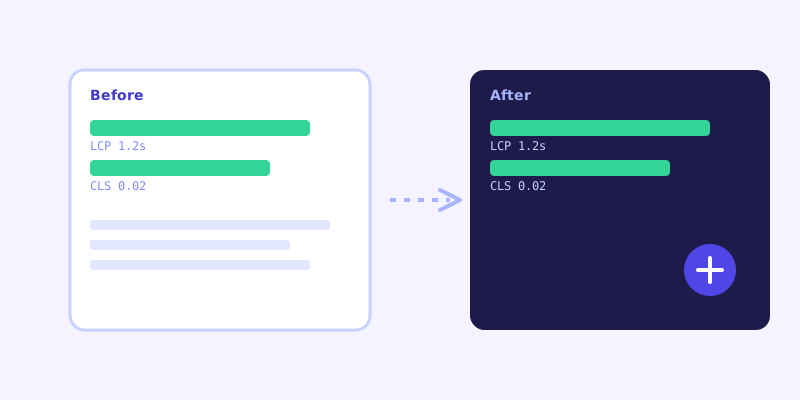
The most reliable way to know a chatbot's actual impact isn't reading a vendor's claims, it's measuring your own site before and after. Run a page speed tool (Google PageSpeed Insights or a similar Core Web Vitals check) on a key page before installing the widget, note the Largest Contentful Paint and Cumulative Layout Shift scores specifically, install the widget, then run the same test again on the same page. A well-built widget should move those two numbers by very little. If a widget noticeably drags down initial load or introduces a visible layout jump, that's a sign the script itself is doing something it shouldn't, loading synchronously or shipping too much upfront, not an unavoidable cost of having a chatbot at all.
The bar to clear
A chatbot's whole value depends on visitors actually encountering it, which means it has to earn its place on every single page load, not just the ones where someone happens to use it. That's a solvable engineering problem, not a tradeoff you have to accept. Before installing one, ask the vendor directly how the script loads (async or deferred, not blocking), whether the full chat interface ships upfront or only on open, and whether they can point you to real Core Web Vitals numbers from an existing customer's site rather than a general claim that it's "lightweight."
Frequently asked questions
Will adding an AI chatbot widget hurt my Core Web Vitals scores?
It shouldn't, if the widget is built correctly. A well-built embed loads asynchronously and only pulls in the full chat interface when a visitor opens it, which keeps its effect on Largest Contentful Paint and Cumulative Layout Shift close to zero. A poorly built one that loads synchronously or ships everything upfront can genuinely hurt those scores, so the impact depends on the specific script, not the category of tool.
Does opening the chat window slow down my website?
Opening the chat window loads more code than having it closed, since an actual interface has to render, and generating a response takes a moment because it involves a real lookup against your site's content. Neither of those affects how fast the rest of your page loads or how visitors experience the page if they never open the chat.
How can I check whether a chatbot widget is actually affecting my page speed?
Run a Core Web Vitals check, such as Google PageSpeed Insights, on a key page before installing the widget and note the scores. Install the widget, then run the exact same test again. A well-built widget should move those numbers very little; a noticeable drop points to the script itself, not chat widgets as a category.
What should I ask a chatbot vendor about page speed before installing their widget?
Ask specifically whether the script loads asynchronously or deferred rather than blocking page render, whether the full chat interface loads upfront or only when a visitor opens it, and whether they have real before-and-after Core Web Vitals numbers from an existing site rather than a general claim of being lightweight.
More articles
 Guides
How to Add an AI Chatbot to Your Website Without Code (2026 Guide)
A step-by-step walkthrough for adding a real AI chatbot to your website in minutes, no flow builder and no code required, plus exact install steps for WordPress, Shopify, Wix, and Squarespace.
Read article → Product & AI
Why Your Website Chatbot Keeps Saying "I'm Not Sure" (And How to Fix It)
Most AI chatbots answer from a snapshot of your site taken whenever they were last trained. Here's why that causes constant "I'm not sure" replies, and what a chatbot that checks live instead actually looks like.
Read article →