How to Measure Whether Your AI Chatbot Is Actually Working
Updated August 17, 2026 · 7 min read
Installing a chatbot and checking that the widget loads is not the same as knowing whether it's actually helping visitors or your business. Plenty of chatbots sit on a website for months, technically live, quietly answering half of what they're asked, with nobody checking the numbers that would show it. Here's what's actually worth tracking, and what each number does and doesn't tell you.
Why "it's installed" isn't a metric
A chatbot widget showing up in the corner of a page proves it loaded, not that it's useful. The uncomfortable version of this: a bot can run for months with a genuinely poor answer rate and look completely fine from the outside, since a hedge or a wrong answer doesn't throw an error, it just quietly fails to help the visitor who asked. Measuring a chatbot means looking past whether it's running and into what happens in the conversations themselves.
Resolution rate: the headline number, with a catch
Resolution rate, the share of conversations that end without the visitor asking to talk to a human or abandoning mid-conversation, is the closest thing to a headline metric for a chatbot. It's also easy to read wrong. A high resolution rate on its own doesn't prove the bot gave correct answers, only that visitors didn't escalate, and a visitor who got a plausible-sounding wrong answer and left satisfied counts the same as one who got a genuinely correct answer. Resolution rate is a useful trend to watch over time, but it needs to be read alongside the next two numbers, not instead of them.
The unanswered-question log: the most honest number you have
Every well-built chatbot keeps a log of questions it couldn't confidently answer, whether it said so outright or hedged around it. This list is worth checking regularly, not because a long list is necessarily bad (new visitors ask things a site was never written to answer), but because it's the single most direct signal of where your own website content has a real gap. A recurring question in that log usually points to a ten-minute fix to a page, not a chatbot problem to work around.
Live-fallback trigger rate: how often stored knowledge wasn't enough on its own
For a chatbot built with a live re-check, the rate at which that fallback actually triggers is worth watching on its own. A trigger happens when the stored knowledge base scored too low to confidently answer and the bot went and read the live page instead before responding. A rising trigger rate on a specific topic, pricing, availability, or a policy, usually means that part of the site changes faster than the crawl schedule catches it, which is useful information even beyond the chatbot itself: it's telling you where your own content is going stale between updates.
Lead conversion: whether conversations turn into something the business can act on
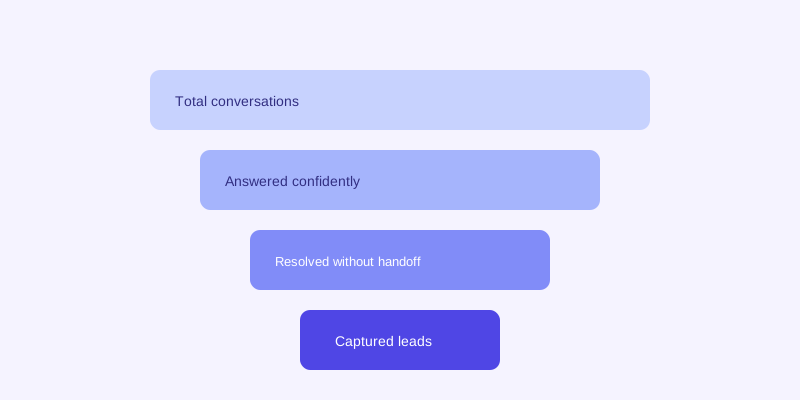
For a chatbot doing any lead capture, the conversion rate from conversation to a captured lead (a name, an email, a booking request) is the number that ties chatbot performance to an outcome the business actually cares about, not just a proxy for answer quality. It's worth comparing against whatever the site used before, a static contact form is the most common baseline, since a meaningful lift here is the clearest sign the conversational approach is working rather than just running.
Handoff rate: not a failure number by default
A chatbot handing a conversation off to a human isn't automatically a bad outcome, it's a sign the bot recognized a question that genuinely needed a person rather than guessing. What's worth watching is the shape of the handoff rate over time and what's inside it: a rising rate concentrated in sensitive or complex questions is healthy, while a rising rate on ordinary hours or pricing questions usually means something in the site's content quietly broke or went out of date.
Reading these numbers together instead of one at a time
None of these five numbers tell the full story alone. A high resolution rate with a growing unanswered-question log means visitors are settling for hedges rather than getting real answers. A low live-fallback trigger rate might mean the site rarely goes stale, or it might mean fallback isn't actually configured to fire when it should, worth confirming directly rather than assuming. Checking these together, monthly at minimum, turns a chatbot from a set-and-forget widget into something a business can actually improve over time based on what real visitors are asking and where the bot is still falling short.
The actual payoff
The point of tracking any of this isn't the dashboard itself, it's catching a stale page, a missing FAQ, or a broken handoff before a real visitor's bad experience becomes a pattern instead of a one-off. A chatbot that nobody's checking the numbers on can quietly get worse for months without anyone noticing, since unlike a broken page or a failed payment, a mediocre chatbot answer never throws an alert on its own. Five numbers, checked regularly, are enough to catch that before it costs more than the ten minutes it would have taken to fix.
Frequently asked questions
What's the single most important chatbot metric to track?
There isn't one number that tells the whole story, but the unanswered-question log is the most actionable, since it points directly at a specific content gap you can usually fix in minutes. Resolution rate and lead conversion matter too, but they're best read alongside that log rather than instead of it.
Does a high resolution rate mean my chatbot is giving correct answers?
Not by itself. Resolution rate measures whether a visitor left without escalating to a human, which a wrong but plausible-sounding answer can satisfy just as easily as a correct one. Pair it with the unanswered-question log and spot-checking actual transcripts to confirm the answers behind a high resolution rate are actually accurate.
What does a rising live-fallback trigger rate on one topic mean?
It usually means that part of your site changes faster than your crawl schedule keeps up with, pricing, availability, or a policy that gets updated often. It's a useful signal even beyond the chatbot itself, since it points at exactly which pages are going stale between scheduled crawls.
How often should a business review its chatbot's performance numbers?
At minimum monthly, though a newly launched chatbot benefits from a closer look in its first few weeks while a business is still confirming its site content actually covers what visitors ask. The unanswered-question log and handoff log are worth a quicker, more frequent check since they surface actionable gaps directly.
More articles
 Guides
How to Add an AI Chatbot to Your Website Without Code (2026 Guide)
A step-by-step walkthrough for adding a real AI chatbot to your website in minutes, no flow builder and no code required, plus exact install steps for WordPress, Shopify, Wix, and Squarespace.
Read article → Product & AI
Why Your Website Chatbot Keeps Saying "I'm Not Sure" (And How to Fix It)
Most AI chatbots answer from a snapshot of your site taken whenever they were last trained. Here's why that causes constant "I'm not sure" replies, and what a chatbot that checks live instead actually looks like.
Read article →