How to Test Your AI Chatbot Before Launch: A Pre-Launch QA Checklist
Updated November 5, 2026 · 8 min read
The moment a chatbot finishes crawling your site, it's tempting to grab the embed code and ship it. The setup really is that fast. But a chatbot that's trained doesn't automatically mean a chatbot that's ready to face your actual customers, and the gap between those two states is usually invisible until a visitor finds it for you in a public, slightly embarrassing way.
This checklist is the twenty minutes worth spending between a successful crawl and a public launch. None of it requires technical skill. It just requires asking the bot the questions a real visitor would ask, on purpose, before they do, and knowing what to look at when something comes back wrong.
Why a working crawl isn't the same as a ready chatbot
A crawl finishing without errors tells you the tool could read your pages. It doesn't tell you whether your pages actually contain the answers customers are looking for, whether the bot picked the right page when two pages said similar things, or whether your pricing structure is confusing enough that even a well-trained bot states it incorrectly. Those are content problems, not technical ones, and the only way to find them is to talk to the bot the way a stranger would, before a stranger actually does.
Step one: read your own site like a stranger would
Before testing the bot, skim your own pricing, hours, service area, and policy pages as if you'd never seen them. Note anything vague, outdated, or split across two pages that contradict each other slightly, like an old promotion still listed on one page while a newer price lives on another. A chatbot trained on contradictory source pages will confidently repeat the contradiction back to a customer, and it has no way to know which version is current unless you fix it at the source first.
Step two: ask it the questions you already get by phone and email
You already have the best test questions available: the ones your team answers manually every week. Pull five to ten real questions from recent emails, call logs, or whatever channel customers actually use, and type them into the bot verbatim, typos and all. This catches two things a generic test never will: whether the phrasing customers actually use matches anything on your site, and whether your most common question has a confident, correct answer or quietly triggers a hedge.
Step three: try to break it on purpose
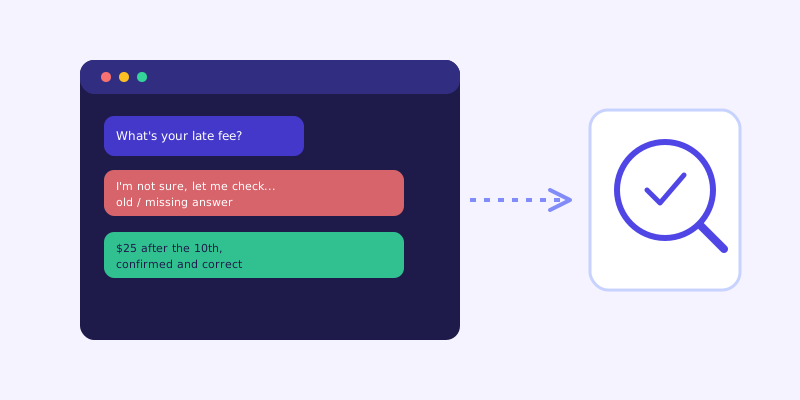
Ask it something your site genuinely doesn't cover, and confirm it says so honestly instead of guessing. Ask it a question with a trick premise, like referencing a service or price you don't actually offer, and see whether it corrects the assumption or plays along. Ask the same question two different ways and compare the answers for consistency. None of this needs to be adversarial in spirit. You're just confirming the bot admits uncertainty instead of inventing an answer that sounds plausible, since a confident wrong answer does more damage to a customer relationship than an honest admission that it isn't sure.
Step four: check the handoff and the unanswered-questions list
Find out where a frustrated visitor actually lands if the bot can't help: does it offer a real contact method, a booking link, or a human handoff, or does it just repeat the same hedge in a loop. Also check whether the tool logs questions it couldn't answer. That list is where you'll find your real content gaps after launch, but it's worth glancing at even before launch, since a handful of test questions from step two will usually already be sitting in it, which confirms the logging itself actually works.
Step five: test it on an actual phone
A surprising share of chatbot traffic is mobile, and a widget that looks fine on a laptop can cover a call-to-action button, overlap a cookie banner, or need three taps to even open on a small screen. Open your own site on your phone, not a browser's mobile preview mode, and walk through opening the widget, typing a question, and reading the answer the way a visitor actually would. A test that only ever happens on a desktop monitor misses the device most of your traffic is probably arriving on.
What to do if it fails any of these
A bad answer during testing is cheap. The same bad answer live, in front of a paying customer, costs you a sale or a support ticket. If a test question comes back wrong, fix the source page first, not just the symptom, since the same gap will resurface in a different phrasing eventually if the underlying page never changes. Re-run the specific question once the page updates and the knowledge base refreshes, confirm the fix actually landed, and only then treat the chatbot as ready for real traffic instead of a work in progress wearing a live badge.
Frequently asked questions
How long should pre-launch chatbot testing actually take?
Most of this checklist takes well under an hour for a typical small business site: skimming your own key pages, running ten real customer questions through the bot, and testing the widget on a phone. The time investment is small compared to the cost of a wrong answer reaching a real customer first.
What's the single most useful test question to ask before launch?
Whatever question your team answers most often by phone or email. It's the question most likely to come up immediately after launch, and if the bot gets it wrong, it's the fastest opportunity you have to fix it before a real visitor notices.
Should I test the chatbot myself or have someone else do it?
Both, if you can. You know your business well enough to notice a subtly wrong answer, but someone less familiar with your site is more likely to phrase questions the way an actual visitor would, since they aren't anchored to how your own pages happen to be organized.
What should happen after I find a bad answer during testing?
Fix the underlying page the bot is reading from, not just that one conversation. A chatbot answers from what's actually on your site, so a wrong answer almost always traces back to a page that's missing, outdated, or contradicted by another page, and fixing the source prevents the same gap from resurfacing in a different wording later.
Try it yourself
Build and test a live-fallback chatbot on ChatCrawl before you ever share the link →
Build my chatbotMore articles
 Guides
How to Add an AI Chatbot to Your Website Without Code (2026 Guide)
A step-by-step walkthrough for adding a real AI chatbot to your website in minutes, no flow builder and no code required, plus exact install steps for WordPress, Shopify, Wix, and Squarespace.
Read article → Product & AI
Why Your Website Chatbot Keeps Saying "I'm Not Sure" (And How to Fix It)
Most AI chatbots answer from a snapshot of your site taken whenever they were last trained. Here's why that causes constant "I'm not sure" replies, and what a chatbot that checks live instead actually looks like.
Read article →