What Your Website Needs Before an AI Chatbot Can Answer Customers Well
Updated July 30, 2026 · 6 min read
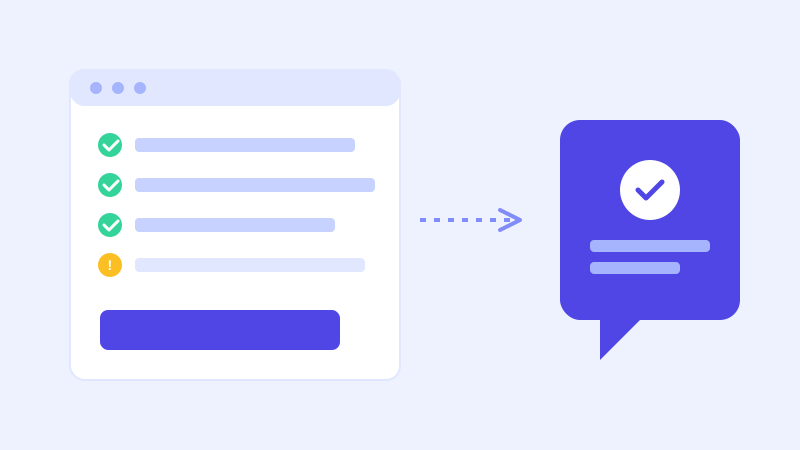
A crawl-based chatbot's whole pitch is simple: point it at your website, and it builds a working knowledge base out of what's already there, no manual training, no flow builder, no re-typing your FAQ into a separate tool. That pitch is accurate, but it comes with one condition nobody states clearly enough: the bot can only be as good as the pages it reads. If the information isn't on your site, or it's buried somewhere a crawler can't reasonably find it, the bot won't know it either.
The bot can only know what's on a page
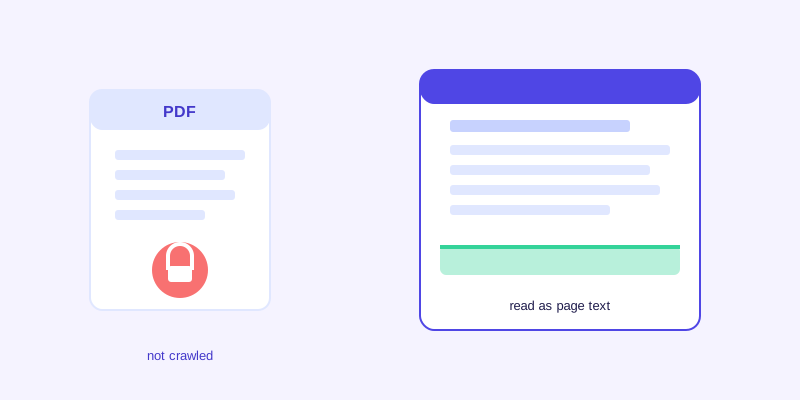
A website crawler reads your public pages roughly the way a visitor or a search engine would: it follows links, reads the text on each page, and builds a searchable knowledge base out of that content. It doesn't know your business beyond what's written down, and it can't infer a policy that only exists in an employee's head or in an internal document that was never published to the site. If your return window is 30 days but that number only lives in a PDF nobody linked from the site, the crawler never sees it, and neither will the bot.
Start with the five pages that answer most questions
Before connecting a chatbot, it's worth checking that a handful of pages actually say what customers ask about. A pricing page with real numbers, not just a request-a-quote button, since a bot can't quote a price that isn't written anywhere. An FAQ page covering the questions your team already answers over email every week. A shipping, returns, or refund policy page with current numbers and no contradictions against other pages. An hours, location, and contact page that matches what's actually true today. And a plain-language page describing what you actually do, since a chatbot answering a question about whether you handle something needs that spelled out somewhere, not implied by a logo or a client list.
For larger sites, it's also worth checking that a crawler can actually reach every page that matters. A page that only exists behind an internal search box, one blocked by robots.txt, or a section that requires a login won't show up in the knowledge base no matter how well it's written. If your site spans dozens of pages, make sure the important ones, pricing, policies, FAQ, are linked somewhere a standard crawl would follow, not just reachable through a search feature most visitors never touch.
Format matters as much as content
A crawler reads text. It can't reliably read text baked into an image, and it can't open a PDF that's several link-clicks deep in a resources section nobody visits. If your pricing table is a screenshot, or your policy lives in a downloadable brochure, that content might as well not exist from the bot's perspective. The safest rule: if a fact matters enough for a customer to ask a chatbot about it, put it in plain text on a normal page, not inside a file or an image.
Common gaps that show up immediately after a crawl
A few patterns repeat across almost every site the first time it's crawled. Pricing hidden behind a request-a-quote flow, leaving no actual numbers for the bot to learn. Policies split across two or three pages with different, slightly contradicting details, often because one was updated and the others weren't. And marketing language that never gets specific, the kind of copy that describes a product in broad strokes instead of the plain terms a customer actually needs to decide whether it fits them.
Multi-location businesses run into a version of this too. A single generic hours page ends up speaking for every location, and a chatbot answering for one specific address has no way to know which set of hours actually applies. If a business has more than one location, service area, or price list, each one usually needs its own clearly labeled page rather than one page trying to describe all of them at once.
Watch what visitors actually ask, then fill the gap
The most useful list you'll get after launch isn't anything you write yourself, it's the log of questions the bot couldn't confidently answer. That list reflects the exact language and concerns real visitors bring, which is usually different from what a business owner assumes matters most. Treat it as a running to-do list: when a gap shows up, add a paragraph to the relevant page, and either wait for the next scheduled re-crawl or trigger one manually so the fix takes effect right away.
A quick pre-crawl checklist
Before pasting your URL in, it's worth confirming a few things directly: your pricing page states real numbers, your policies are consolidated onto one current page rather than split and contradicting, your hours and contact details are accurate today, your FAQ actually addresses the objections customers raise before buying, and nothing critical is trapped inside a PDF or an image with no matching text on the page itself.
Good input, immediate output
The appeal of a crawl-based chatbot is that it removes the manual training step entirely. It can't remove the need for your website to actually say the things your customers want to know. Ten minutes of housekeeping on your five most important pages before the first crawl will save weeks of the bot hedging on questions your site was always capable of answering, if only the answer had been written down.
It also pays to revisit that same checklist any time the business itself changes, a new pricing tier, a new location, a policy update, rather than treating it as a one-time task before the first crawl. A chatbot built on a well-maintained site stays useful with almost no ongoing effort. One built on a site that drifts out of date slowly turns back into the thing it was supposed to replace: a place customers have to email you to get a real answer.
Frequently asked questions
Can an AI chatbot answer questions that aren't written anywhere on my website?
No. A crawl-based chatbot builds its knowledge base from the text on your public pages, so it can only answer what's actually written there. A policy or fact that only exists in an employee's head, an internal document, or an unlinked file won't be part of what the bot learns.
Does it matter if my pricing is in a PDF instead of a webpage?
Yes. A crawler is far more reliable at reading plain text on a normal page than opening and parsing a downloadable file, especially one buried several clicks deep in a resources section. Keeping key facts like pricing as visible page text, not just inside a PDF, makes a real difference in what the bot can learn.
What's the fastest way to find out what my chatbot doesn't know?
Check the log of questions it couldn't confidently answer after it's been live for a few days. That list reflects the exact things real visitors are asking, which is usually a more accurate picture of the gaps than guessing from the outside.
Do I need a dedicated FAQ page for a chatbot to work well?
It helps, but it's not strictly required as long as the same information exists somewhere on the site in plain text. A dedicated FAQ page just makes it easier to see at a glance whether the common questions customers ask are actually answered anywhere at all.
More articles
 Guides
How to Add an AI Chatbot to Your Website Without Code (2026 Guide)
A step-by-step walkthrough for adding a real AI chatbot to your website in minutes, no flow builder and no code required, plus exact install steps for WordPress, Shopify, Wix, and Squarespace.
Read article → Product & AI
Why Your Website Chatbot Keeps Saying "I'm Not Sure" (And How to Fix It)
Most AI chatbots answer from a snapshot of your site taken whenever they were last trained. Here's why that causes constant "I'm not sure" replies, and what a chatbot that checks live instead actually looks like.
Read article →