What Should Your AI Chatbot Crawl? Controlling Scope, Exclusions, and Crawl Depth
Updated October 1, 2026 · 7 min read
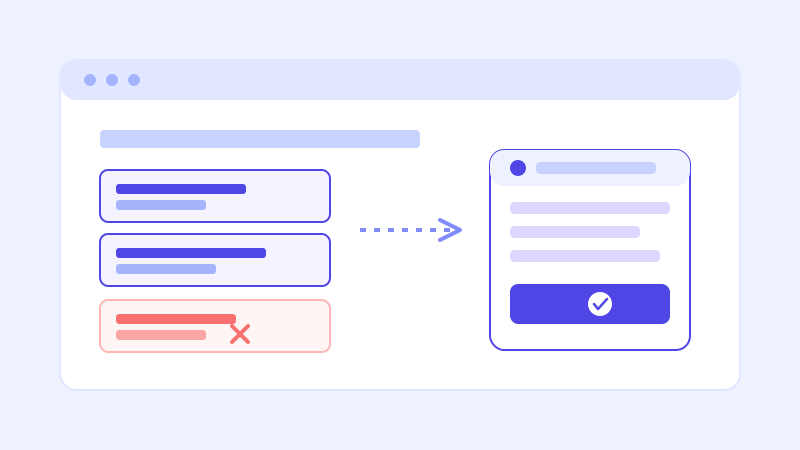
The instinct when setting up a crawl-based chatbot is to assume more pages means a smarter bot. That's backwards more often than not. A chatbot answers from whatever it's read, so pointing it at your entire site, including the parts that were never meant for a customer-facing answer, tends to produce a bot that's confidently wrong in new and specific ways rather than one that's simply well informed.
Why scope matters more than size
A knowledge base built from a crawl isn't graded on how many pages it contains, it's graded on whether the content that's in there is accurate, current, and actually meant to answer customer questions. A 40 page site with clean, current pricing and policy pages will out-perform a 400 page site padded with old blog posts, duplicate landing pages, and an internal wiki that happens to be public. Crawl scope is the lever that decides which of those two situations you end up with.
Pages worth including on purpose
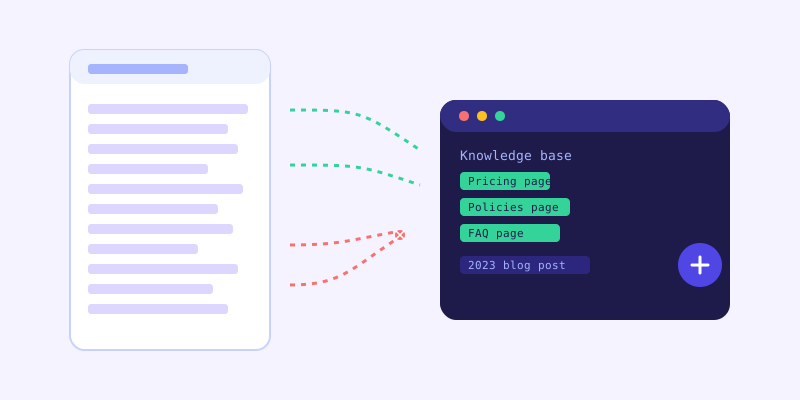
The pages that make a chatbot genuinely useful are the ones a visitor would already dig for if they were doing the research themselves: pricing, hours, service area, policies (returns, cancellations, warranties), FAQ pages, and any page describing what you actually do and for whom. These are also usually the pages that change, which is exactly why a crawl-based approach beats a one-time manually typed script, since the chatbot picks up updates to these pages automatically instead of someone having to remember to re-type them somewhere else.
Pages worth excluding on purpose
A few categories are worth deliberately keeping out of a crawl rather than leaving to chance. Old blog posts and press releases that no longer reflect current pricing or policy can actively mislead a chatbot into citing something that was true two years ago. Internal or staff-only pages, even ones that happen to be publicly reachable by URL, shouldn't be treated as fair game just because a crawler could technically reach them. Duplicate or near-duplicate pages, common after a site redesign where an old version lingers at a different URL, create conflicting answers for the same question. And anything genuinely sensitive, like a page that was never meant to be indexed at all, should be blocked at the source with a noindex tag or robots exclusion rather than relied on to simply go unnoticed.
Crawl depth: how far is far enough
Crawl depth describes how many links deep a crawler follows from your starting pages. Too shallow and it misses content linked only from a secondary page, a specific service page reachable only through a dropdown menu, for instance. Too deep and it starts pulling in content several clicks removed from anything a visitor would navigate to directly, often lower quality or less relevant the further it goes. For most small business sites, a depth that comfortably covers every page reachable from the main navigation and footer is enough. Sites with large catalogs or extensive documentation benefit from thinking about depth deliberately rather than leaving it uncapped.
A smaller knowledge base is usually a better one
There's a natural worry that excluding pages means the bot will know less. In practice, the opposite tends to be true. A tightly scoped knowledge base makes it easier for the bot to find the single most relevant chunk of content for a given question, instead of weighing it against several outdated or near-duplicate alternatives that all say something slightly different. Fewer, cleaner pages produce more confident, more consistent answers than a sprawling crawl that includes everything a site has ever published.
Reviewing scope after launch
Crawl scope isn't a one-time decision made during setup. Revisit it after a site redesign, since old URLs sometimes stick around and get crawled alongside the new ones. Revisit it if the unanswered-question log starts showing questions the bot should clearly know the answer to, since that's often a sign the right page exists but was excluded or never crawled. And revisit it whenever a section of the site gets added that wasn't there at setup, a new product line, a new location page, a new policy page, so it gets pulled into the knowledge base rather than quietly sitting outside it.
Getting scope right the first time
The best starting point is treating crawl scope the way you'd brief a new employee on what to read before answering customer questions: the current pricing page, yes, the internal onboarding doc, no. If you wouldn't hand a page to a new hire as something they should quote back to a customer, it's probably not a page you want a chatbot citing either.
Frequently asked questions
Does a bigger crawl always make a chatbot smarter?
No. A larger crawl that includes outdated, duplicate, or internal-only pages tends to produce less reliable answers, not more, since the bot has more conflicting or stale content to weigh against the current, accurate pages. A smaller, well-curated set of pages usually performs better.
What pages should I exclude from my chatbot's crawl?
Old blog posts or press releases with outdated pricing or policy details, internal or staff-only pages, duplicate pages left over from a redesign, and anything that was never meant to be public in the first place. Block genuinely sensitive pages at the source with a noindex tag rather than relying on a crawler to skip them.
How deep should a chatbot's crawl go?
For most small business sites, a depth that covers everything reachable from the main navigation and footer is enough. Sites with large catalogs or extensive documentation should think about depth deliberately, since crawling too far past the main navigation tends to pull in lower-relevance content.
How do I know if my crawl scope needs adjusting?
Check the unanswered-question log. If the bot is missing something it should clearly know, the right page may be excluded or wasn't crawled. Also revisit scope after a site redesign or whenever a new section, like a product line or location page, gets added to the site.
More articles
 Guides
How to Add an AI Chatbot to Your Website Without Code (2026 Guide)
A step-by-step walkthrough for adding a real AI chatbot to your website in minutes, no flow builder and no code required, plus exact install steps for WordPress, Shopify, Wix, and Squarespace.
Read article → Product & AI
Why Your Website Chatbot Keeps Saying "I'm Not Sure" (And How to Fix It)
Most AI chatbots answer from a snapshot of your site taken whenever they were last trained. Here's why that causes constant "I'm not sure" replies, and what a chatbot that checks live instead actually looks like.
Read article →